Template details
CapsuleX
A minimal blog theme for Astro with capsule floating navigation and modern design.
About this template
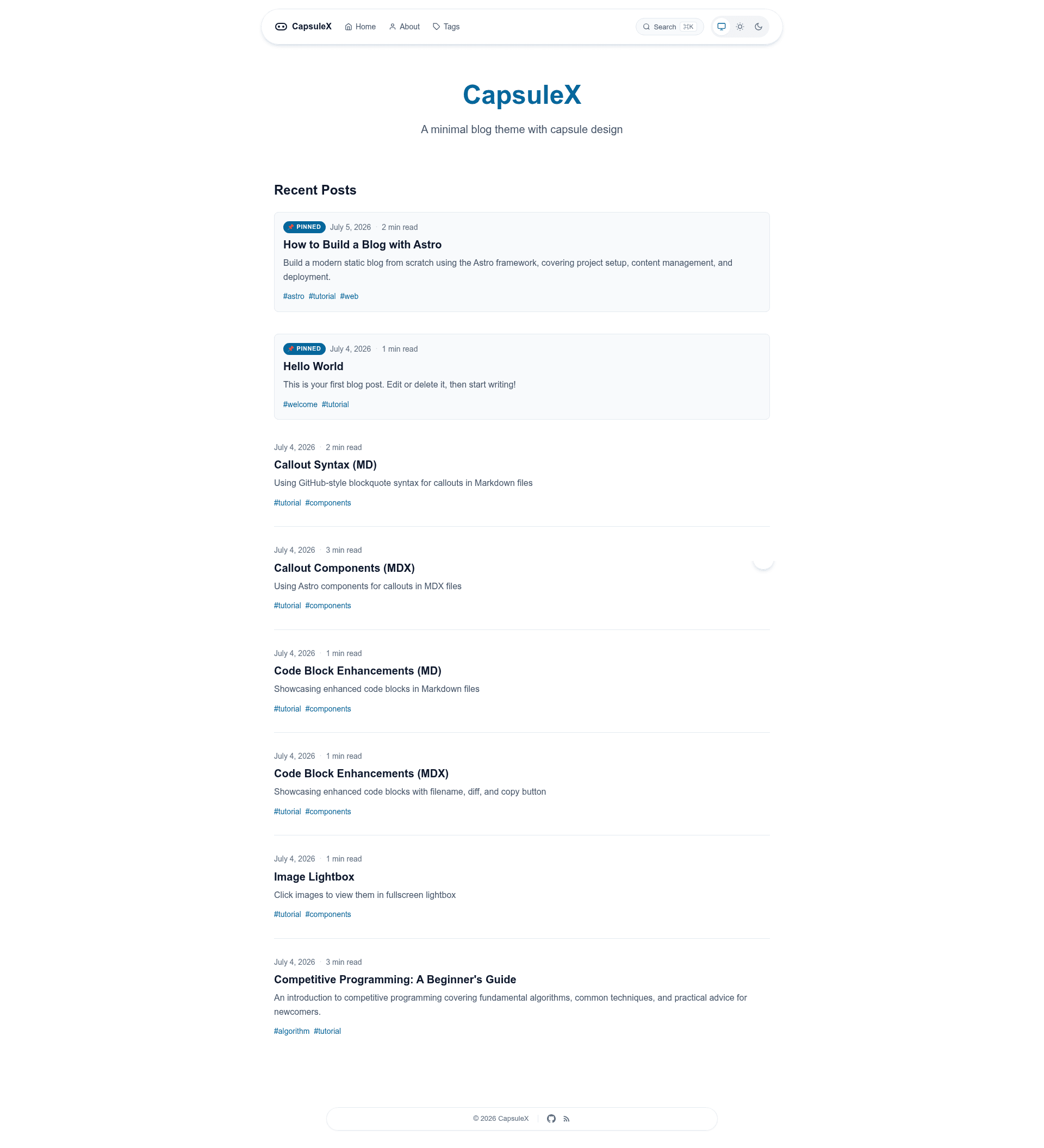
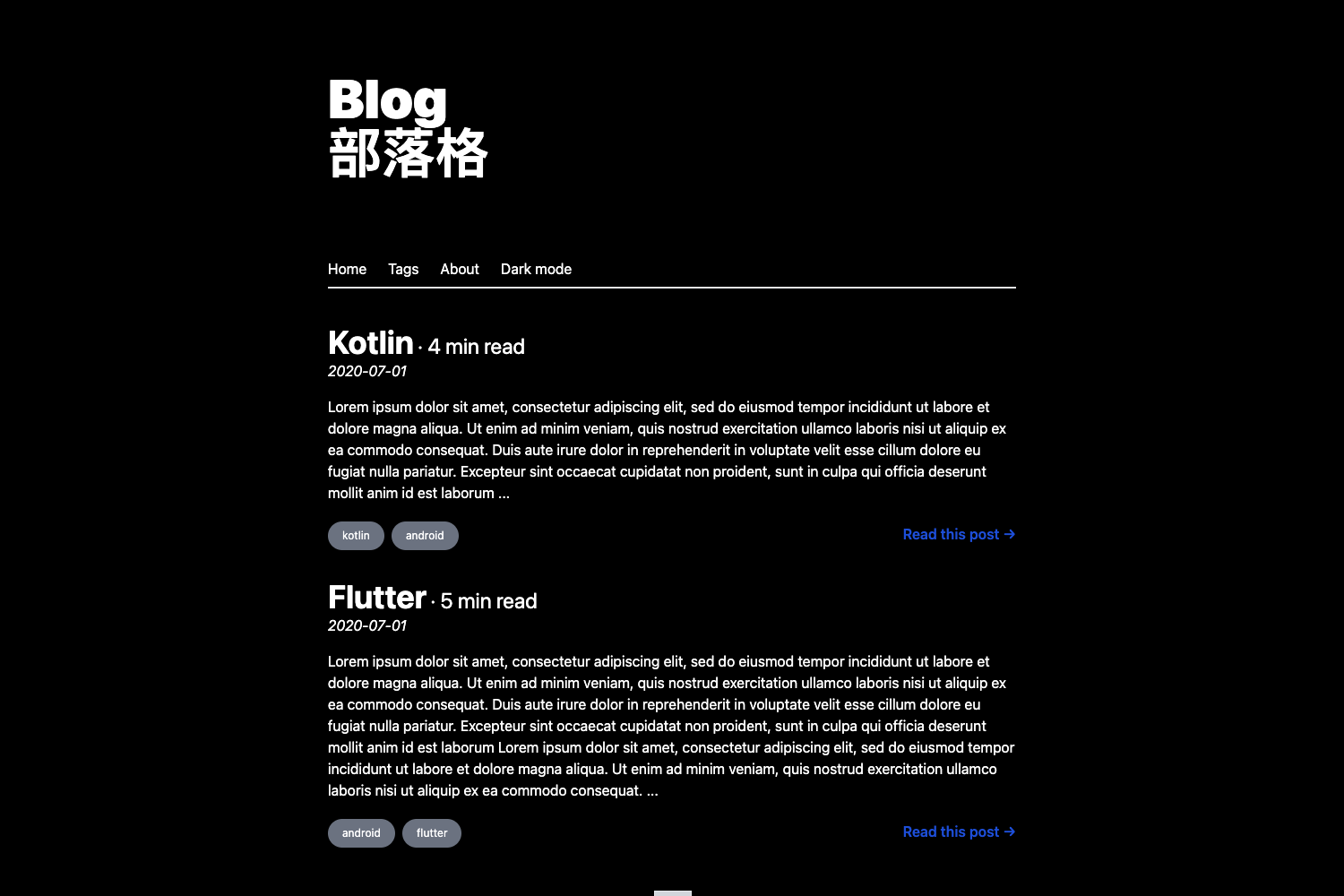
CapsuleX is an open-source Astro blog theme that pairs a capsule-shaped glassmorphism navigation bar with reading-focused features such as client-side search, a floating table of contents, and GitHub-style callout blocks.
What is CapsuleX?
CapsuleX is a minimal, modern blog theme built on Astro 7 for the static site generator. It takes Markdown or MDX files written in src/content/blog/ as input and generates a complete static blog site with a home page, about page, tag pages, RSS feed, and 404 page as output. The theme is maintained by GitHub user wangjacks and released under the Apache 2.0 license. It is currently in beta, so there are no official releases or npm packages yet — to use it, you clone the repository directly and run npm install.
Key Features
- Capsule floating navigation — a fixed glassmorphism navbar with backdrop blur and a tri-state theme switcher (auto, light, dark) plus a mobile hamburger menu.
- Reading experience — includes a scroll progress bar, estimated reading time (English at about 200 WPM, Chinese at about 400 CPM), a floating table of contents on desktop with a capsule toggle on mobile, and prev/next navigation at the bottom of each post.
- Client-side search — a Fuse.js powered modal opened with the ⌘K keyboard shortcut, so readers can search posts without leaving the page.
- Code block enhancements — filename labels, diff syntax, and a copy button implemented through Shiki transformers.
- Image lightbox — click any post image to view it fullscreen with left/right arrow and ESC keyboard support.
- Callout blocks — GitHub-style
[!NOTE],[!TIP],[!WARNING], and[!CAUTION]Markdown syntax rendered as styled boxes. - Pinned posts and tags — pin important posts to the top of the list and filter content through dedicated tag pages.
- Smooth transitions and animations — scroll fade-in for post cards, a back-to-top button, and page transitions powered by Astro's ClientRouter using the View Transitions API.
The theme also ships with a centrally managed configuration in src/config.ts, where you can set the site title, description, author, navigation, social links, and toggle individual features such as reading progress, back-to-top, callouts, lightbox, RSS, and search.
Who is it for?
- Bloggers and long-form writers — who want a clean reading interface with a floating TOC, progress bar, reading time, and lightbox for images.
- Astro developers — who are comfortable cloning a repository and editing a TypeScript config file plus Markdown/MDX content, and who want a theme without a CSS framework dependency (it uses CSS variables and native CSS).
- Developers building bilingual blogs — reading time estimates are calibrated for both English and Chinese text.
- Static site enthusiasts — the built site is plain static HTML, so it can be deployed to Vercel, Netlify, or any static host.
What can you do with CapsuleX?
- Publish a blog quickly — create
.mdor.mdxfiles insrc/content/blog/with frontmatter fields for title, description, pubDate, tags, pinned, and draft, and the theme handles listing, tagging, and RSS automatically. - Customize the site in one place — edit
src/config.tsto change the site name, navigation menu, social links, and which features are enabled or disabled. - Write enriched content — use callouts, code blocks with filenames and diffs, and image lightboxes directly in Markdown without extra components.
- Deploy to your preferred host — build with
npm run buildand publish thedistdirectory; the README includes commands for Vercel and Netlify deployments.
How does CapsuleX work?
Clone the GitHub repository, install dependencies with npm install, and start the development server with npm run dev at http://localhost:4321. Content lives in src/content/blog/, site-wide settings live in src/config.ts, and a production build with npm run build outputs static files to dist.
FAQ
Is CapsuleX free to use?
Yes. CapsuleX is open source under the Apache 2.0 license, so you can use, modify, and distribute it freely, including for commercial projects.
Does CapsuleX support dark mode?
Yes, it has a tri-state theme switcher that lets visitors choose auto (follows the device), light, or dark mode, with smooth transitions between them.
How do I add a new blog post?
Create a new .md or .mdx file inside src/content/blog/ with frontmatter containing at least title, description, and pubDate. Optional fields include tags, pinned, and draft.
Can I deploy CapsuleX to Netlify or Vercel?
Yes. The README includes deploy steps for both: for Vercel, run vercel after installing the CLI; for Netlify, use npm run build as the build command and dist as the publish directory. It works on any static host.
What is the difference between this theme and other Astro blog themes?
CapsuleX distinguishes itself with a capsule-shaped glassmorphism navigation bar, a floating table of contents, and a built-in Fuse.js search modal — all without requiring a UI framework or Tailwind CSS.