Template details
Solar Jekyll
A stylish theme for Jekyll blogs, based on the Solarized color palette.
About this template
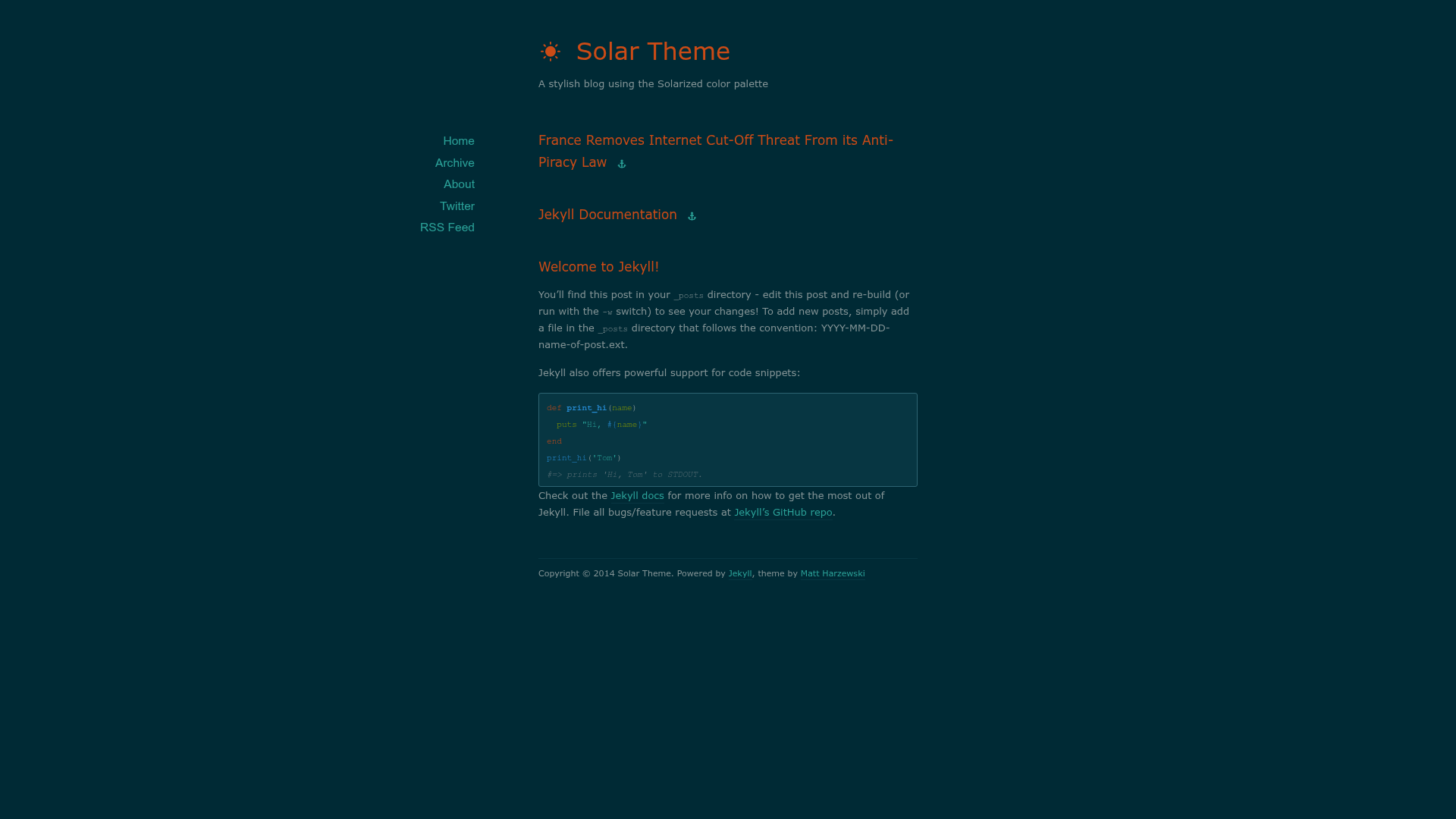
Solar is a Jekyll blog theme that applies the Solarized color palette to a lightweight, responsive Jekyll layout. It is designed for bloggers who want a distinctive, low-contrast aesthetic without building their own templates.
What is Solar Theme for Jekyll?
Solar is a free, open-source theme for Jekyll static sites, built specifically for blogging. It takes standard Jekyll posts written in Markdown and renders them into a blog with either Solarized Dark or Solarized Light colors. The theme was created by Matt Harzewski (redwallhp on GitHub) and is released under the GPLv2-or-higher license. The repository includes layout templates, an assets folder, an RSS feed, and an index page, along with demo content.
Key Features
- Solarized Dark and Light schemes — Swap the CSS link from
colors-dark.csstocolors-light.cssto toggle the entire site between the two palettes. - Linkblog support — Adding an
external-urlfield to a post's YAML front matter turns the post title into a hyperlink to that external address. - Responsive design — The layout adapts to different screen sizes without extra configuration, so it works on mobile and desktop.
- Clone-and-go installation —
git clone https://github.com/redwallhp/solar-theme-jekyll.gitgives a complete blog starter with pages and config ready to edit. - Selective file integration — For existing Jekyll blogs, you can copy only
_layouts,archives,assets,feed.xml, andindex.xmlrather than replacing the whole site. - GitHub Pages compatible — The theme's demo is hosted on GitHub Pages, confirming it works with the standard Jekyll build on that platform.
Who is it for?
- Jekyll bloggers — People who already use Jekyll and want a low-friction theme with a distinctive, readable color scheme.
- Linkblog authors — Writers who post many short entries linking to external articles can use the
external-urlfront matter field to turn each post into a link post. - Solarized fans — Users who prefer the Solarized palette in their editors and terminals can keep that same look on their personal blog.
What can you do with it?
- Start a new blog quickly — Clone the repository, edit
_config.yml, and publish a Jekyll blog that is already styled and responsive. - Restyle an existing blog — Copy the theme's key files into your current Jekyll project and swap in the Solarized CSS to update the visual design.
- Publish link posts — Add the
external-urlYAML key to any post and the theme automatically renders it as a link post, saving you from writing custom HTML.
How does it work?
Solar works like any standard Jekyll theme: Jekyll processes Markdown posts and Liquid templates from the _layouts directory, then applies the Solarized CSS in assets to produce a static HTML site. To install, either clone the repository and customize it, or copy the specific files (_layouts, archives, assets, feed.xml, index.xml) into an existing Jekyll project and compare your _config.yml with Solar's.
FAQ
Is Solar Theme for Jekyll free?
Yes, Solar is released under the GPLv2 or higher license, so it is free to use, modify, and distribute. There is no paid tier or upgrade.
Does Solar support link posts?
Yes. Add external-url: http://example.org to a post's YAML front matter and Solar will turn the post title into a link to that external URL.
Can I use Solar on GitHub Pages?
Yes, the theme's demo is hosted on GitHub Pages, and it runs on the standard Jekyll environment used by GitHub Pages.
How do I switch between dark and light Solarized themes?
In the theme's HTML template, change the reference from colors-dark.css to colors-light.css. That single swap changes the whole site's palette.