Template details
Jekyll Terminal Theme
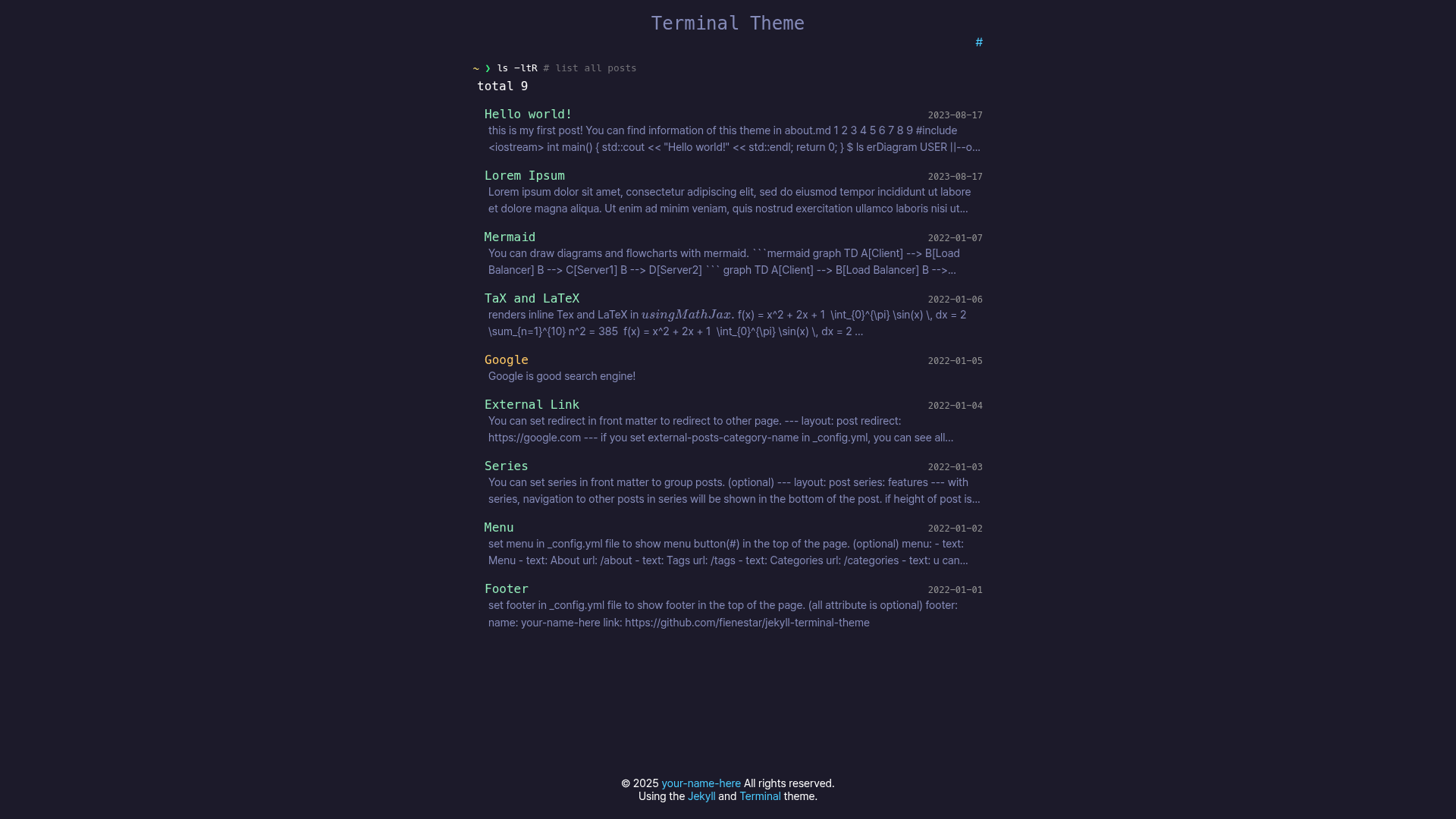
A Jekyll theme with a terminal-style interface for blogs and portfolios, built by fienestar.
About this template
Jekyll Terminal Theme is a Jekyll-powered static site theme that wraps a personal blog or portfolio in a terminal-style interface, created by the GitHub user fienestar for their own use.
What is Jekyll Terminal Theme?
Jekyll Terminal Theme is a free, open-source Jekyll theme that renders your Markdown content into a static website with a command-line-terminal look. It takes standard Jekyll content (posts and pages in Markdown) and outputs static HTML, leveraging Jekyll's Liquid templating system. The theme is hosted on GitHub, tagged with the jekyll-theme topic, and includes a live demo at https://fienestar.github.io/jekyll-terminal-theme/.
Key Features
- Terminal-style design — The theme mimics the appearance of a command-line terminal, giving the site a retro aesthetic.
- Built on Jekyll — Uses Jekyll's standard theme structure, so it can be deployed on GitHub Pages or any Jekyll-compatible platform.
- Simple local setup — The README documents exactly two commands:
bundle installandbundle exec jekyll serve. - Live demo — A live demo is hosted at https://fienestar.github.io/jekyll-terminal-theme/.
- Open source — The code is on GitHub with the
jekyll-themetopic, so you can fork and modify it. - Personal use — The author calls it a "terminal theme for me," indicating it was built for their own site.
Who is it for?
- Bloggers using Jekyll who want to stand out with a terminal aesthetic instead of a conventional blog layout.
- Developers who spend their days in a command line and want their personal site to reflect that workflow.
- Portfolio owners seeking a text-centric, minimal theme that keeps the focus on content.
- Jekyll learners who can use this theme as a small, readable example of how a Jekyll theme is structured.
What can you do with Jekyll Terminal Theme?
- Launch a personal blog — Write posts in Markdown, run
bundle exec jekyll serve, and publish a terminal-styled site. - Create a portfolio — Present projects and skills using a simple, text-first layout that works well for programmers.
- Customize the theme — Since it's open source, you can edit the HTML and CSS to adjust the color scheme and typography.
- Deploy for free — Host the generated static site on GitHub Pages without paying for a server.
How does Jekyll Terminal Theme work?
The theme follows the standard Jekyll workflow. After obtaining the repository (e.g., by cloning or downloading it), you install the required Ruby gems with bundle install, then start a local server with bundle exec jekyll serve. Jekyll compiles the Markdown content into a static site with the terminal look in the _site folder, which you can then deploy anywhere.
FAQ
Is Jekyll Terminal Theme free?
Yes, the theme is open source and available on GitHub. There is no pricing mentioned in the repository, and you can clone and use it for personal or commercial projects, subject to any license file in the repo.
How do I run Jekyll Terminal Theme locally?
Run bundle install from the theme's directory to install dependencies, then run bundle exec jekyll serve to start a local development server. After that, visit the local URL (usually http://localhost:4000) to preview the site.
Does Jekyll Terminal Theme work with GitHub Pages?
Yes, as a Jekyll theme, it is compatible with GitHub Pages. The demo itself is hosted on GitHub Pages, and you can push your fork or the theme to a GitHub repository to have Pages build it automatically.
Who made Jekyll Terminal Theme?
The theme was created by GitHub user fienestar, who describes it as a "terminal theme for me." The repository has received 5 stars on GitHub, suggesting a small but real audience.