Template details
Faith Dashboard
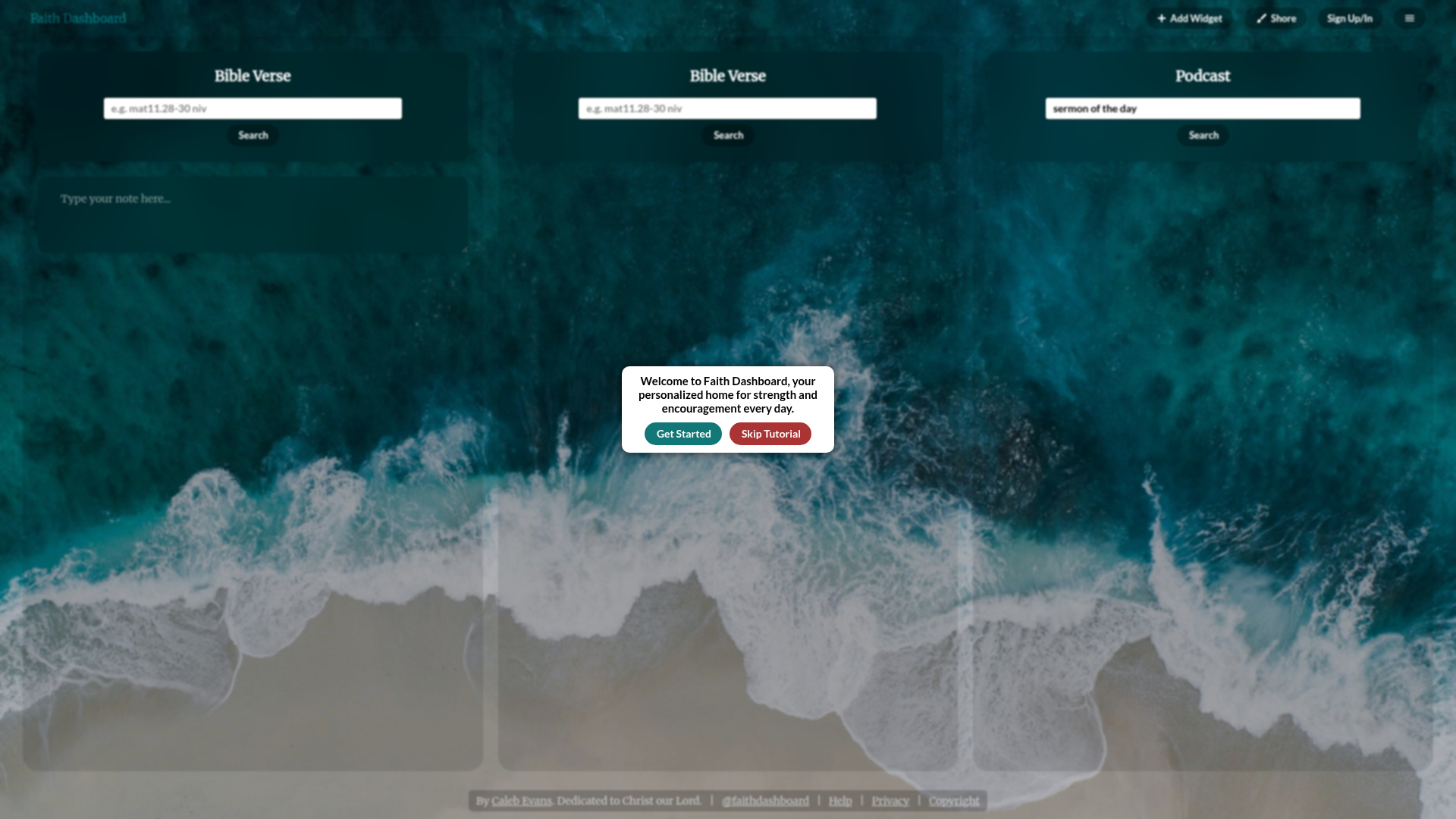
A private board for your favorite Bible verses, sermons, and anything else you need to be encouraged when life happens. Built with NextJS+React and TypeScript
About this template
Faith Dashboard is an open-source, self-hosted web application for keeping a private board of Bible verses, sermons, and encouragement content, built with Next.js, React, and TypeScript.
What is Faith Dashboard?
Faith Dashboard is a private board application where users store favorite Bible verses, sermon notes, and other encouraging content to revisit when needed. It takes user-entered religious and motivational content and displays it on a dashboard that you can keep open in a browser tab. The project runs on Next.js with React and TypeScript, uses Supabase for backend services, and is authored by Caleb Evans, released under the MIT License.
What makes Faith Dashboard stand out?
- Private board — A personal space for favorite Bible verses, sermons, and other encouragement content that you can keep open in a browser tab.
- Next.js, React, and TypeScript — The app is built with the Next.js framework, React components, and TypeScript typing, giving developers a modern, maintainable stack.
- Supabase backend — Data is stored and authenticated through Supabase, with a local setup via Docker and the Supabase CLI; the .env.local file holds the API URL and anon key.
- Custom React hooks — The repository includes custom hooks (a GitHub topic of the project) to encapsulate dashboard logic and data fetching.
- pnpm for dependencies — Package installation and management use pnpm instead of npm, which is faster and more disk-efficient.
- MIT licensed — Released under the MIT License by Caleb Evans, so you can freely use, modify, and distribute it.
- Automated tests — The repository has a GitHub Actions workflow for running tests and a Coverage Status badge from Coveralls.
Who is it for?
- Christians wanting daily encouragement — Keep favorite Bible verses and sermon notes in one persistent browser tab to revisit when life happens.
- Self-hosters — Anyone who wants a private, personal dashboard they control and can deploy from the open-source code.
- Developers learning Next.js and Supabase — The project serves as a practical example of wiring Next.js with Supabase, custom hooks, and TypeScript.
What can you do with Faith Dashboard?
- Christians: Store favorite Bible verses and sermon notes, then see them displayed on the dashboard whenever you open the tab.
- Church goers: Add notes from weekly sermons so you can revisit the key points and encouragement later.
- Anyone needing encouragement: Save motivational quotes or faith-based content on a private board and return to it when life gets hard.
How does Faith Dashboard work?
After cloning the repository, you must install the pnpm package manager globally, then run pnpm install to install dependencies. The next step is setting up Supabase: install Docker and the Supabase CLI through Homebrew, start Docker and run supabase init and supabase start. The supabase start command prints an API URL and anon key that you paste into a .env.local file as NEXT_PUBLIC_SUPABASE_URL and NEXT_PUBLIC_SUPABASE_ANON_KEY. Finally, run pnpm exec next dev and open http://localhost:3000 to use the app.
Pricing
Faith Dashboard is free and open-source under the MIT License. There are no paid tiers or subscription fees; you self-host the application with your own Supabase instance.
FAQ
Is Faith Dashboard free?
Yes, Faith Dashboard is free to use and modify. It is released under the MIT License, so you can run it on your own infrastructure without paying a license fee.
What technologies does Faith Dashboard use?
Faith Dashboard is built with Next.js (the React framework) and TypeScript. It uses Supabase as its backend for data storage, pnpm for package management, and Docker to run the local Supabase instance. The setup requires Homebrew on macOS to install Docker and the Supabase CLI.
How do I set up the local development environment?
Install pnpm globally, then run pnpm install. After that, install Docker and the Supabase CLI with Homebrew, start Docker, and run supabase init and supabase start to get your local API URL and anon key. Add these to a .env.local file and run pnpm exec next dev to start the server.
Who created Faith Dashboard?
Faith Dashboard is authored by Caleb Evans, as shown in the project copyright notice spanning 2021-2023. The project is hosted on GitHub under the caleb531 repository.