Template details
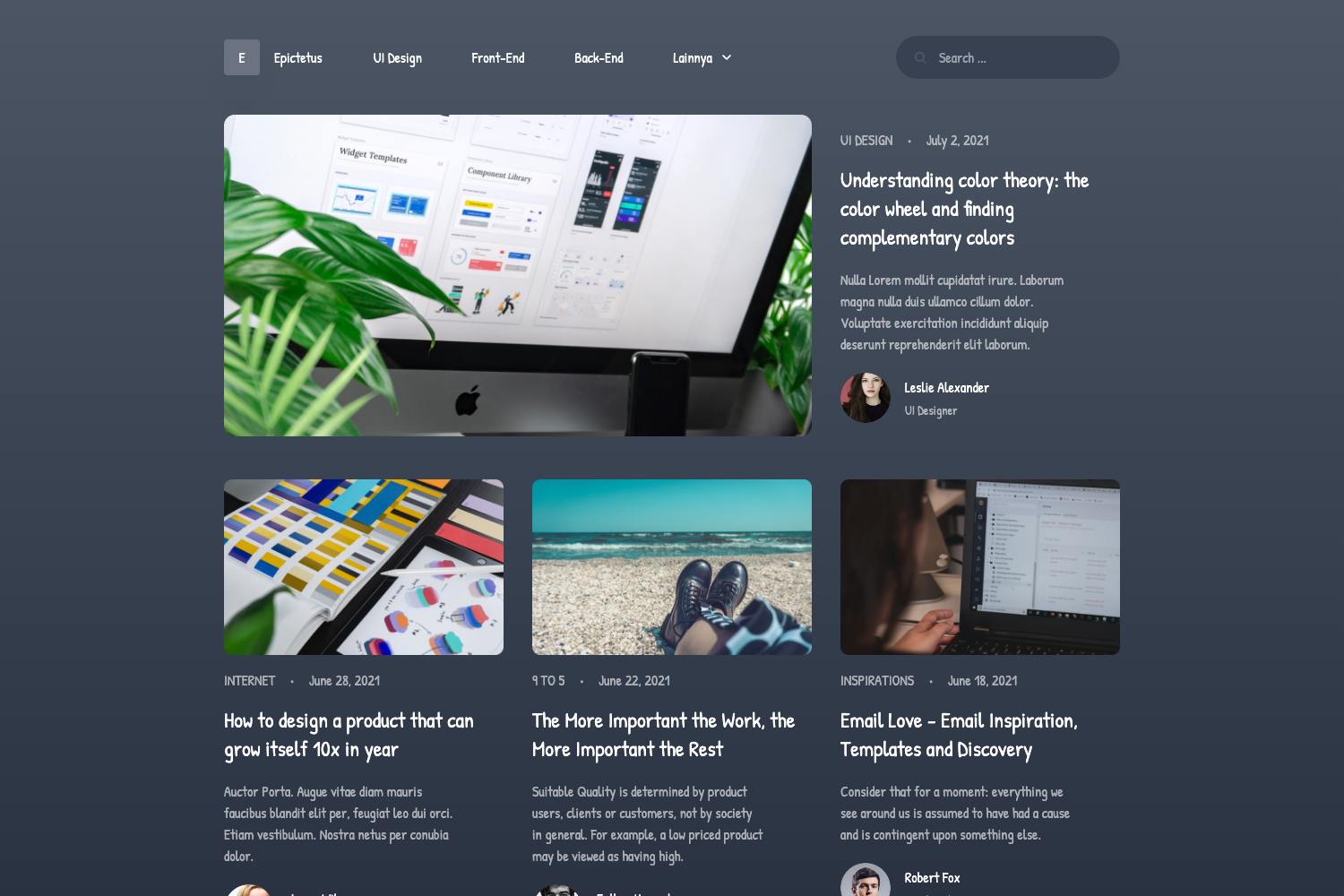
Gatsby Starter GCN
A starter template to build amazing static websites with Gatsby, Contentful and Netlify.
About this template
gatsby-starter-gcn is a Gatsby starter (boilerplate) that scaffolds a static blog website wired to Contentful as a headless CMS and Netlify for hosting, forms, and continuous deployment.
What is gatsby-starter-gcn?
gatsby-starter-gcn is an open-source starter template created by Ryan Wiemer (GitHub user ryanwiemer) for building static websites with Gatsby, Contentful, and Netlify. It takes a new Contentful space as input — populated via a built-in setup script — and produces a static React site with blog posts, tag pages, a contact form, and an SEO-friendly structure. The starter is designed to be customized or taken apart, with configuration split between src/gatsby-config.js for site data and src/gatsby-plugin-theme-ui/index.js for design tokens. A live demo is available at https://gcn.netlify.app/.
Key Features
The starter includes the following concrete features out of the box:
- Contentful integration — Includes placeholder content and a
yarn run setupscript that imports posts and pages into your Contentful space using your Space ID, Content Delivery API key, and management key. - Netlify integration — Ships with a pre-built contact form that works with Netlify Forms out of the box, plus documented build environment variables (
ACCESS_TOKEN,SPACE_ID,GOOGLE_ANALYTICS) for Git-based deploys. - Theme UI styling system — Uses Theme UI with a central theme file (
src/gatsby-plugin-theme-ui/index.js) that defines colors, fonts, max widths, and responsive breakpoints (small, medium, large). - SEO component — Provides an SEO-friendly React component with OpenGraph sharing support and automatic sitemap generation; meta descriptions fall back to a 320-character post excerpt when left blank in Contentful.
- Pagination logic — Configurable in siteMeta:
postsPerFirstPagedefaults to 7 andpostsPerPagedefaults to 6, with abasePathoption to root posts and tags under a subpath like/blog. - Progressive Web App and offline support — The starter is set up as a PWA with offline support, so visitors can load previously visited pages without a connection.
- Linting and code quality — Includes Gatsby Standard (
eslint-config-gatsby-standard) for JavaScript linting viayarn test, plus Stylelint support for linting styled-components CSS-in-JS. - Minimal responsive design — A lightweight, themeable layout with menu links for Home, About, and Contact as the default page structure.
Who should use gatsby-starter-gcn?
This starter is aimed at anyone building a content-driven static site who wants the Gatsby + Contentful + Netlify trio already wired together.
- Developers who want a pre-configured Gatsby + Contentful + Netlify stack without wiring up API clients, forms, and build hooks themselves.
- Content teams who prefer to manage blog posts and pages in Contentful's editor and have them auto-deploy to Netlify via a webhook after every publish.
- Designers who need a minimal, responsive starting point for a custom static site and want to override the Theme UI tokens instead of fighting a rigid design.
What can you do with gatsby-starter-gcn?
With this template you can ship a production-ready static site in a day.
- Personal blogs: Publish markdown-style posts through Contentful, with tag-based categorization and pagination, all deployed as a static site.
- Marketing or portfolio sites: Use the About and Contact pages, customize the menu, and hook the contact form to Netlify notifications via email or Slack.
- Client projects: Clone the starter, rebrand the theme, and deliver a CMS-backed static site hosted on Netlify with continuous deployment from Git pushes.
How does gatsby-starter-gcn work?
Setting up the starter involves a few concrete steps that connect Contentful and Netlify.
- Clone the repository or run
gatsby new gatsby-starter-gcn https://github.com/ryanwiemer/gatsby-starter-gcn.git. - Sign up for Contentful, create an empty space, and run
yarn run setupto populate it with placeholder content. - Edit
src/gatsby-config.jswith your site title, description, URL, menu links, and pagination settings. - Deploy to Netlify by connecting your GitHub repo and setting the build environment variables
ACCESS_TOKEN,SPACE_ID, and optionallyGOOGLE_ANALYTICS. - Optionally create a Netlify build hook and Contentful webhook so publishing content triggers a rebuild automatically.
FAQ
Here are answers to common questions about configuring the starter.
How do I change the site title and menu links?
Edit the siteMetadata object in src/gatsby-config.js. It includes fields for title, description, siteUrl, image, and menuLinks (an array of name/slug pairs). After editing, run yarn clean and restart the development server if changes don't appear immediately.
Where are meta descriptions defined?
Meta descriptions are entered per post/page inside Contentful. If the field is left blank, the starter automatically uses the first 320 characters of the post or page as the excerpt.
How do I connect my Contentful space to Netlify?
Add three environment variables in Netlify under Settings → Build & Deploy: ACCESS_TOKEN, SPACE_ID, and optionally GOOGLE_ANALYTICS. They must be named exactly as shown. Netlify will then build the site on every push to the master branch.
How does the contact form work?
The starter includes a pre-built contact form component that submits to Netlify Forms. You can manage submissions in the Netlify dashboard and set up notifications via the Forms → Notifications tab (e.g., email or Slack).
Do I need to store Contentful credentials in GitHub?
No — the README explicitly warns not to store Contentful access tokens or space IDs in the repository. They should be provided as environment variables in your deployment platform.