Template details
Gridsome Minimal Blog
A free, minimalistic blog starter for Gridsome (Vue.js) that scaffolds a new project, runs a local dev server, and deploys to Netlify with one click.
About this template
Gridsome Minimal Blog is a free, open-source blog starter theme built on the Gridsome static site generator, providing a minimalistic design and a one-command local development workflow for Vue-based projects.
What is Gridsome Minimal Blog?
Gridsome Minimal Blog is a starter theme for Gridsome, a static site generator that uses Vue.js. The theme is maintained by GitHub user lauragift21 and is designed to give developers a minimalistic blog layout with no extra styling distractions. It accepts a Gridsome CLI command to create a new project and outputs a locally runnable blog skeleton, ready for content to be added. The repository description describes it as "A blog built with Gridsome and Hosted on Netlify," indicating the intended hosting target.
What makes Gridsome Minimal Blog stand out?
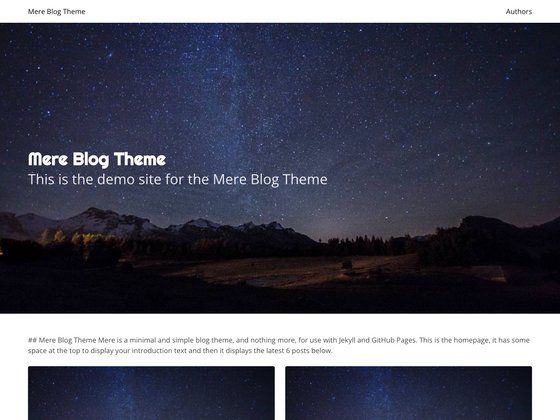
- Minimalistic design — The theme ships with a clean, content-focused layout that avoids visual clutter, as shown in the preview screenshot in the README.
- Gridsome + Vue.js foundation — Built on Gridsome, which compiles Vue components into static HTML, giving you the benefits of Vue.js with the performance of a static site.
- One-line project creation — With the Gridsome CLI installed,
gridsome create my-blog https://github.com/lauragift21/gridsome-minimal-blogscaffolds a new blog project instantly. - Local development server — Running
gridsome developstarts a dev server athttp://localhost:8080with hot reloading, so changes appear immediately during development. - One-click Netlify deployment — The README includes a "Deploy to Netlify" button that connects the GitHub repository directly to Netlify, letting you publish a production version without setting up build scripts yourself.
- Public GitHub repository — The source code is openly available, and the project has 59 stars at the time of this writing, indicating community interest.
Who should use Gridsome Minimal Blog?
- Vue.js developers who want a preconfigured blog skeleton that they can extend with their own Vue components and styles, without starting from scratch.
- Netlify-focused site owners who want a blog that can be deployed with a single click to Netlify, avoiding server configuration.
- Beginners learning static site generation who want a minimalistic, readable codebase to study how a Gridsome starter is organized, from
gridsome.config.jsto page components.
Use cases for Gridsome Minimal Blog
- Personal blogging: Set up a personal blog or journal with a clean, minimal design, then write posts and deploy to Netlify for free hosting.
- Prototyping a blog design: Use the minimal theme as a base to quickly mock up a blog layout before integrating a custom design or CMS.
- Portfolio blog: While the theme is minimalistic, it can be adapted to serve as a portfolio blog by adding project pages and custom sections in Vue.
How does Gridsome Minimal Blog work?
The README outlines four steps: first, install the Gridsome CLI tool globally with npm install --global @gridsome/cli; second, create a new project with gridsome create my-blog followed by the theme's GitHub URL; third, navigate into the folder and run gridsome develop to open a local dev server at http://localhost:8080; and finally, deploy by clicking the "Deploy to Netlify" button, which copies the repository and sets up Netlify builds. No additional configuration is described.
FAQ
Is Gridsome Minimal Blog free to use?
Yes, the starter theme is hosted in a public GitHub repository and can be installed using a standard gridsome create command. The README shows no licensing restrictions or paid tiers, and the project is described as a starter theme meant to be reused.
How do I install Gridsome Minimal Blog?
Install the Gridsome CLI globally, then run gridsome create my-blog https://github.com/lauragift21/gridsome-minimal-blog. This creates a new folder named my-blog with the theme's files. Then switch into that folder and run gridsome develop.
What port does the development server use?
The local development server runs at http://localhost:8080. When you run gridsome develop, you can open that address in your browser to see the blog.
Can I deploy this theme to Netlify?
Yes, the README includes a "Deploy to Netlify" button that starts the Netlify setup flow, creating a new site linked to your own copy of the repository. This avoids manual build and deploy configuration.
Does this starter include a CMS?
The README does not mention a CMS. It is a minimal blog skeleton, so you would add content management yourself, either by editing files directly or integrating a headless CMS into the Gridsome setup.