Template details
Hexo Theme MIP
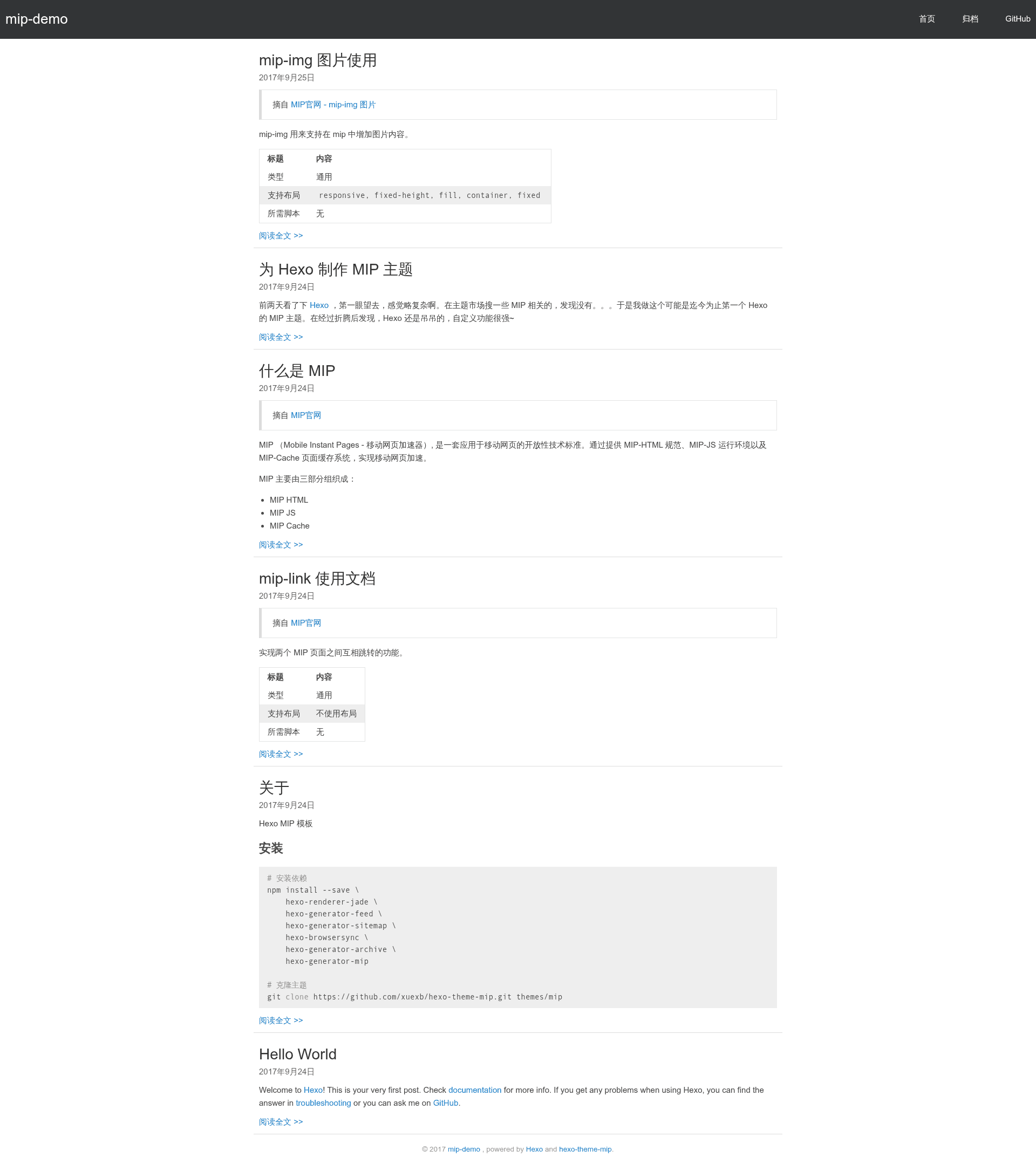
A Hexo theme that generates MIP (Mobile Instant Pages) compliant blog pages for fast loading on Baidu's mobile search.
About this template
hexo-theme-mip is a Hexo theme for building MIP (Mobile Instant Pages) compliant blogs, converting standard Hexo posts into HTML that meets Baidu's MIP specification. It runs on Hexo's Node.js static site generator, uses Jade for templating, and works with the hexo-generator-mip plugin to emit MIP-valid pages.
What is hexo-theme-mip?
hexo-theme-mip is an open-source Hexo template released under the MIT license, hosted on GitHub and contributed to by @yugasun and @xuexb. It takes a Hexo site's Markdown posts and site configuration as input, and outputs static HTML pages that conform to the MIP specification, designed for faster loading in Baidu's mobile search. The theme includes an online demo at GitHub Pages for previewing its default layout.
Key Features
- MIP compliance — Generates HTML that follows the MIP specification, enabling pages to pass MIP validation for Baidu's fast-loading mobile search index.
- Jade templating — Uses Jade templates via the hexo-renderer-jade package, with layouts for home, archive, and article pages.
- MIP image enforcement — Requires every
imgtag to include width and height attributes (per MIP spec), with optionallayout="fill"for absolutely positioned images. - Excerpt markers — Inserting
<!-- more -->in a Markdown post extracts the preceding text as the homepage summary. - Configurable descriptions — Homepage description is taken from
config.description, while article pages usepost.descor fall back topost.titleplusconfig.author. - Callout boxes — Three CSS classes provide colored note blocks:
.tip(green),.tip-info(blue), and.tip-error(red), with colors sourced from layui. - Plugin stack — Installation bundles hexo-generator-feed, hexo-generator-sitemap, hexo-generator-archive, and hexo-generator-mip for feeds, sitemaps, full archive lists, and MIP page generation.
- Open source — MIT licensed and publicly hosted on GitHub, with 15 stars at the time of writing.
Who should use hexo-theme-mip?
- Baidu-focused content publishers — Bloggers who want their posts included in Baidu's MIP channel for faster mobile rendering can use this theme to make their Hexo site MIP-compliant.
- Existing Hexo users — Developers already running Hexo can switch by setting
theme: mipand configuring a few_config.ymlfields, avoiding hand-written MIP markup. - Performance-conscious personal bloggers — Writers who host their own static site can generate valid MIP pages to reduce load time on mobile devices.
What can you do with hexo-theme-mip?
- Generate MIP-valid blog pages: After installing the theme and setting
theme: mip, every post is rendered into MIP-compliant HTML duringhexo generate. - Control homepage excerpts: Place
<!-- more -->in any post to define exactly which text appears on the home page. - Add styled callouts: Use
<div class="tip">,<div class="tip-info">, or<div class="tip-error">in Markdown to highlight default, info, or error notes. - Tune per-page metadata: Override an article's description with
post.desc; if missing, the theme falls back topost.titleplus the siteauthor.
How does it work?
Install the required npm packages and clone the repository into themes/mip, then set theme: mip in your Hexo _config.yml. The hexo-generator-mip plugin builds MIP versions of your pages during static generation, and the archive_generator setting (per_page: 0 with yearly, monthly, and daily disabled) makes the archive page list every post. The theme reads site title, subtitle, description, author, URL, and language from _config.yml, and uses the <!-- more --> marker to create homepage summaries.
FAQ
Is hexo-theme-mip free?
Yes, the theme is open source under the MIT license, so you can use, modify, and redistribute it freely for personal or commercial projects.
Does it support tags and search pages?
The repository's TODO list notes that tag pages and search pages are not yet implemented, so those features are missing from the current version.
How do I add images in posts?
Because the MIP specification requires explicit dimensions, every img tag in your Markdown must include width and height attributes. For images that use absolute positioning, add layout="fill" as well.
Can I set different descriptions for home and article pages?
Yes. The homepage uses the global config.description, while article pages use post.desc if defined, otherwise post.title plus config.author.