Template details
Hexo Theme Cactus
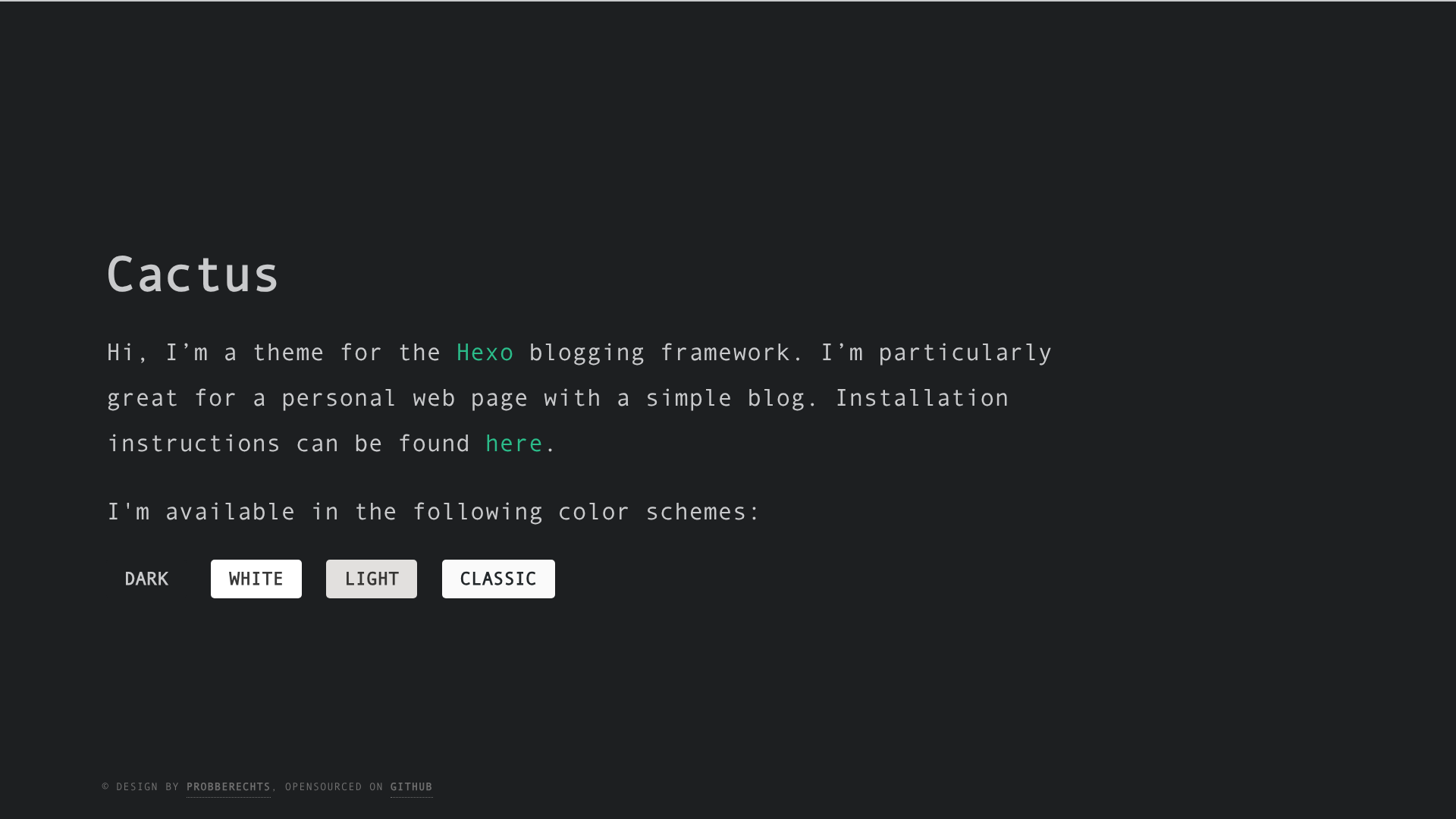
A responsive, clean and simple Hexo theme for personal websites with multiple color schemes, i18n, and comment support.
About this template
Cactus is a responsive, clean, and simple open-source Hexo theme for personal websites and blogs, providing a static site with four color schemes, 18 language translations, and built-in comment and analytics integrations.
What is Cactus?
Cactus is a Hexo theme developed by Pieter Robberechts and maintained on GitHub under the repository probberechts/hexo-theme-cactus. It runs on Hexo 3 or later and transforms standard Hexo Markdown posts and pages into a responsive static website. The theme is configured entirely through _config.yml files, either in the theme folder or centrally via theme_config in the site's main configuration file.
Key Features
- Four built-in color schemes — Choose from dark, light, white, or classic; custom palettes can be added by placing a new file in
source/css/_colors. - Configurable navigation menu — Define internal links and external URLs under the
navkey in_config.yml, with optional labels for social links. - Local search support — Install the hexo-generator-search plugin, create a page with
type: searchin its front-matter, and add it to navigation. - Projects list — Populate
source/_data/projects.jsonwith entries containing a name, URL, and description to render project cards on the homepage. - Two comment systems — Disqus and Utterances are supported, with settings for shortname (Disqus) and repo, issue term, label, and theme (Utterances).
- Four analytics providers — Google Analytics, Baidu Tongji, Cloudflare Analytics, and Umami Analytics each have a dedicated config block enabling a tracking ID.
- Internationalization — 18 language files are included, covering English, Arabic, Catalan, Chinese, Dutch, French, German, Italian, Korean, Persian, Polish, Russian, Spanish, Turkish, Ukrainian, and Vietnamese.
- RTL layout — Set
direction: rtlin_config.ymlfor Persian or Arabic; this also swaps the font to Vazir. - CDN loading — JavaScript and CSS resources are loaded from cdnjs by default; can be disabled per-resource in the
cdnblock. - Font Awesome icons — Social links and UI icons are rendered with Font Awesome, configured via the
social_linksblock.
Who is it for?
- Hexo bloggers — Users who want a lightweight, visually clean theme without a heavy dependency on JavaScript frameworks.
- Developers — People comfortable editing YAML configuration and Markdown, who want to customize the menu, colors, and integrations directly.
- Personal site owners — Individuals building a personal homepage with an About page, an article archive, a projects showcase, and social links.
- Multilingual audiences — Site maintainers who need a theme with built-in translations for many languages, though not simultaneous multi-language support.
What can you do with Cactus?
- Launch a blog quickly — After cloning the theme, set
theme: cactusin_config.ymland create posts withhexo new post "hello world". - Showcase projects — Add a JSON array to
source/_data/projects.jsonwith each project's name, URL, and description to display a list on the index page. - Add site search — Install
hexo-generator-search, generate asearchpage, and link it in the menu to give readers full-text search. - Enable comments — Sign up for Disqus or configure Utterances with a GitHub repository to let readers discuss posts on the site.
- Track visitors — Insert IDs for Google, Baidu, Cloudflare, or Umami in the respective config blocks to collect analytics.
How does Cactus work?
The theme is installed by cloning the repository into themes/cactus, then setting theme: cactus in the site's _config.yml. Content is added as Markdown files under source/_posts and source pages, using Hexo's standard hexo new commands. After running hexo generate and hexo server, the theme renders the site with the chosen colorscheme and navigation configuration.
Configuration highlights
- Override defaults centrally — Use
theme_configin the site's_config.ymlto set options likecolorscheme: whitewithout forking the theme. - Copyright years — Specify
start_yearandend_yearin thecopyrightblock; defaults to the current year. - RSS — The
rssfield acceptsfalseto disable, a custom file name likeatom.xml, or an empty value to defer to hexo-generator-feed. - Code highlighting — Pick a colorscheme from the available
_highlightfolder and set it withhighlight: COLORSCHEME_NAME. - Tags and categories — Add
type: tagsortype: categoriesto front-matter of pages created withhexo new pageto generate overviews.
FAQ
Is Cactus free?
Yes, Cactus is released under the MIT license, so it is free to use and modify, including for commercial projects.
Which Hexo versions are compatible?
Cactus version 3.0 requires Hexo 3 or later, and it has been tested in the demo hosted on GitHub Pages.
Can I have multiple languages on one site?
No. Cactus does not support multi-language sites. You must pick a single language via the language setting; translations are provided for 18 languages.
Does Cactus support comments?
Yes, it supports Disqus and Utterances. You enable one by setting enabled: true and supplying the required configuration in _config.yml.
How do I add a custom color scheme?
Create a new file in source/css/_colors with your palette, then set colorscheme to the file's name in _config.yml. The theme ships with dark, light, white, and classic.