Template details
Hexo Theme Strict
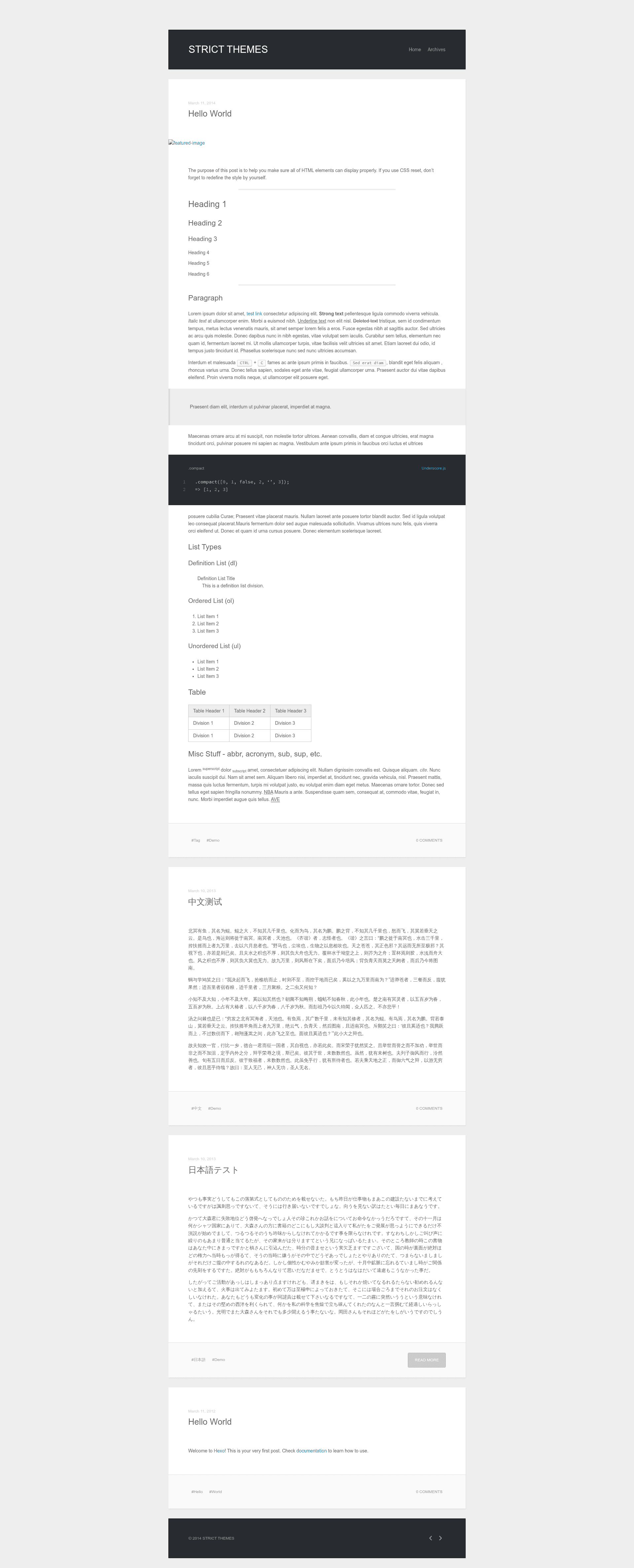
A clean, minimal and responsive theme for Hexo, the static site generator.
About this template
Hexo Theme Strict is a minimal, responsive blog theme for Hexo, the static site generator, built with Jade templates and a color scheme inherited from Hexo's default landscape theme. It provides a simple, clean layout for personal blogs and is distributed under the MIT license.
What is Hexo Theme Strict?
Hexo Theme Strict is a free, open-source theme that replaces the default Hexo look with a simplified design while keeping the same color palette found in Hexo's official landscape theme. As a theme, it takes your Hexo site's content (posts, pages, tags, categories) and renders it into static HTML files. It requires the hexo-renderer-jade package to process its Jade templates. The theme is maintained as a GitHub repository and can be installed by cloning it into the themes/strict folder.
Key Features
- Minimal design — The layout is stripped down to essentials, with the color scheme taken directly from Hexo's default landscape theme, so it looks familiar to anyone who tried Hexo's starter theme.
- Responsive layout — The theme supports Internet Explorer 8 and later, as well as the latest stable versions of Firefox, Chrome, and Safari, ensuring it works on older and modern browsers alike.
- Jade templating — All templates are written in Jade (now known as Pug), giving you a concise template syntax to customize the markup without dealing with raw HTML.
- Simple installation — Install the renderer with npm, clone the repository into themes/strict, and set the theme name to "strict" in _config.yml. No additional configuration files are required.
- Easy updates — Because the theme is version-controlled with Git, you can update it anytime by running git pull inside the themes/strict directory.
- MIT license — The source code is freely available, so you can modify it for personal or commercial projects without legal restrictions.
Who is it for?
- Hexo bloggers — If you want a no-frills blog theme that loads quickly and presents content without distractions, this theme gives you a solid base for articles, tags, and archives.
- Developers learning Hexo theming — Since it's minimal and uses Jade, it's a good starting point to understand how Hexo themes are structured and where to modify templates, styles, and scripts.
- Users who like Hexo's default look — The color palette matches the landscape theme, so you get a similar visual style but with a cleaner, more focused layout.
What can you do with it?
- Personal blog — Set up a static blog in minutes by installing Hexo, cloning this theme, and writing Markdown posts that are rendered into a responsive site.
- Theme customization — Use the Jade templates as a base to build your own unique Hexo theme, tweaking the layout and styles while keeping the simple foundation.
- Legacy browser support — Because it supports IE8+, it's suitable for audiences that still rely on older browsers, though modern browsers are fully supported as well.
How does it work?
Installation is straightforward: run npm install hexo-renderer-jade --save in your Hexo project, then clone the theme repository into themes/strict. Next, change the theme setting in _config.yml to strict. Your Hexo site will then use this theme when you generate static files with hexo generate. Updates are handled via git pull in the theme directory.
Browser support
The theme explicitly supports Internet Explorer 8 and later, plus the latest stable releases of Firefox, Chrome, and Safari. That means it accounts for both old and new rendering engines, making it a safe choice for a wide range of visitors.
License
Hexo Theme Strict is released under the MIT license, so you are free to use, copy, modify, merge, publish, distribute, and sell copies of the theme, provided the original copyright notice is included.
FAQ
Is Hexo Theme Strict free?
Yes, the theme is open-source under the MIT license. You can use it on personal or commercial projects without paying any licensing fees.
Which Hexo version does it work with?
The README does not specify a minimum Hexo version, but since it depends on hexo-renderer-jade, it should work with Hexo installations that support that renderer package.
How do I update the theme?
Navigate to the themes/strict directory and run git pull to fetch the latest changes from the repository. After that, regenerate your site with hexo generate.
Can I use it with other static site generators?
No, it is specifically built for Hexo and relies on Hexo's template rendering pipeline and configuration structure.