Template details
Hugo PacMan Theme
A Hugo blog theme with social links, Disqus, Google Analytics, and Chinese-language support.
About this template
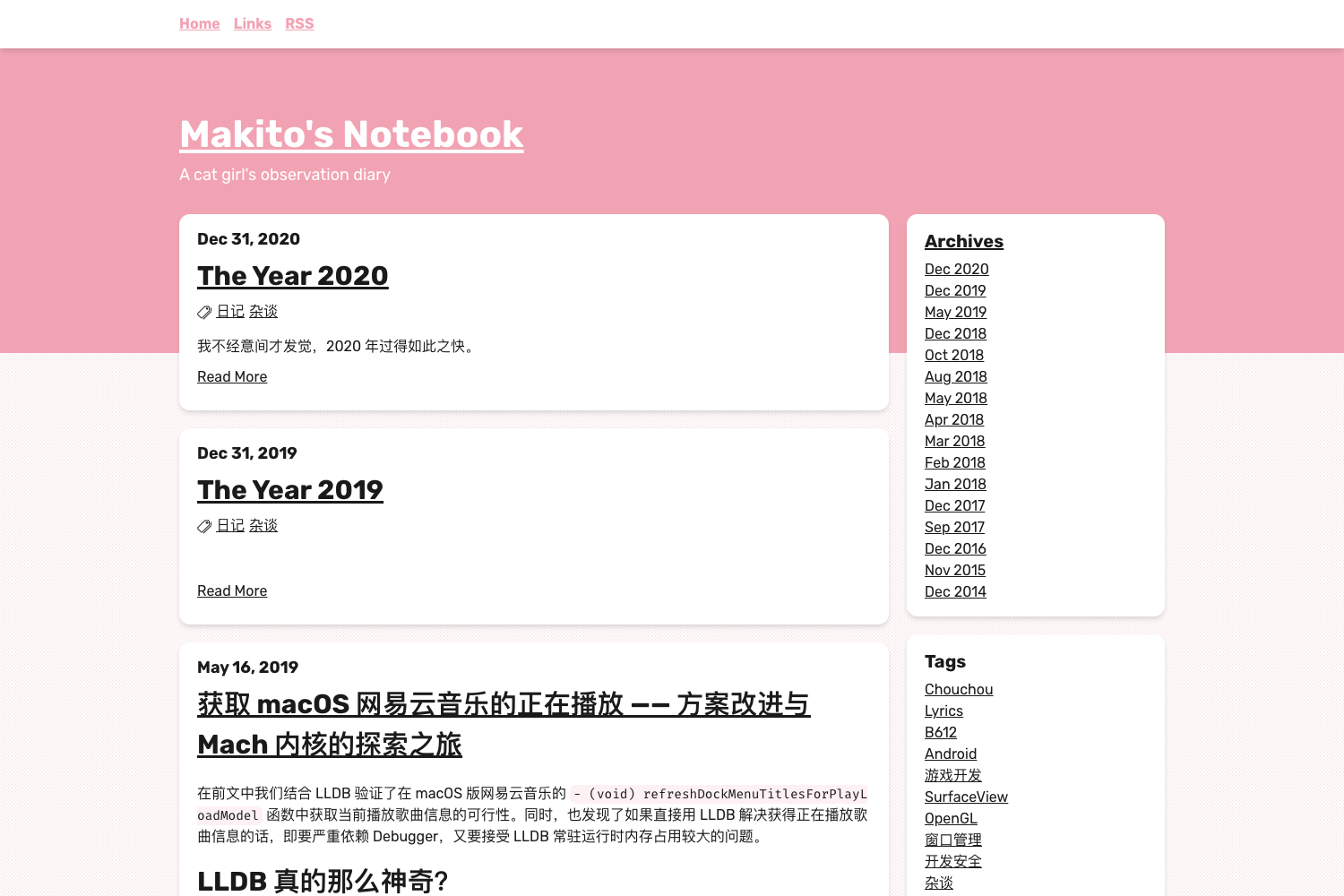
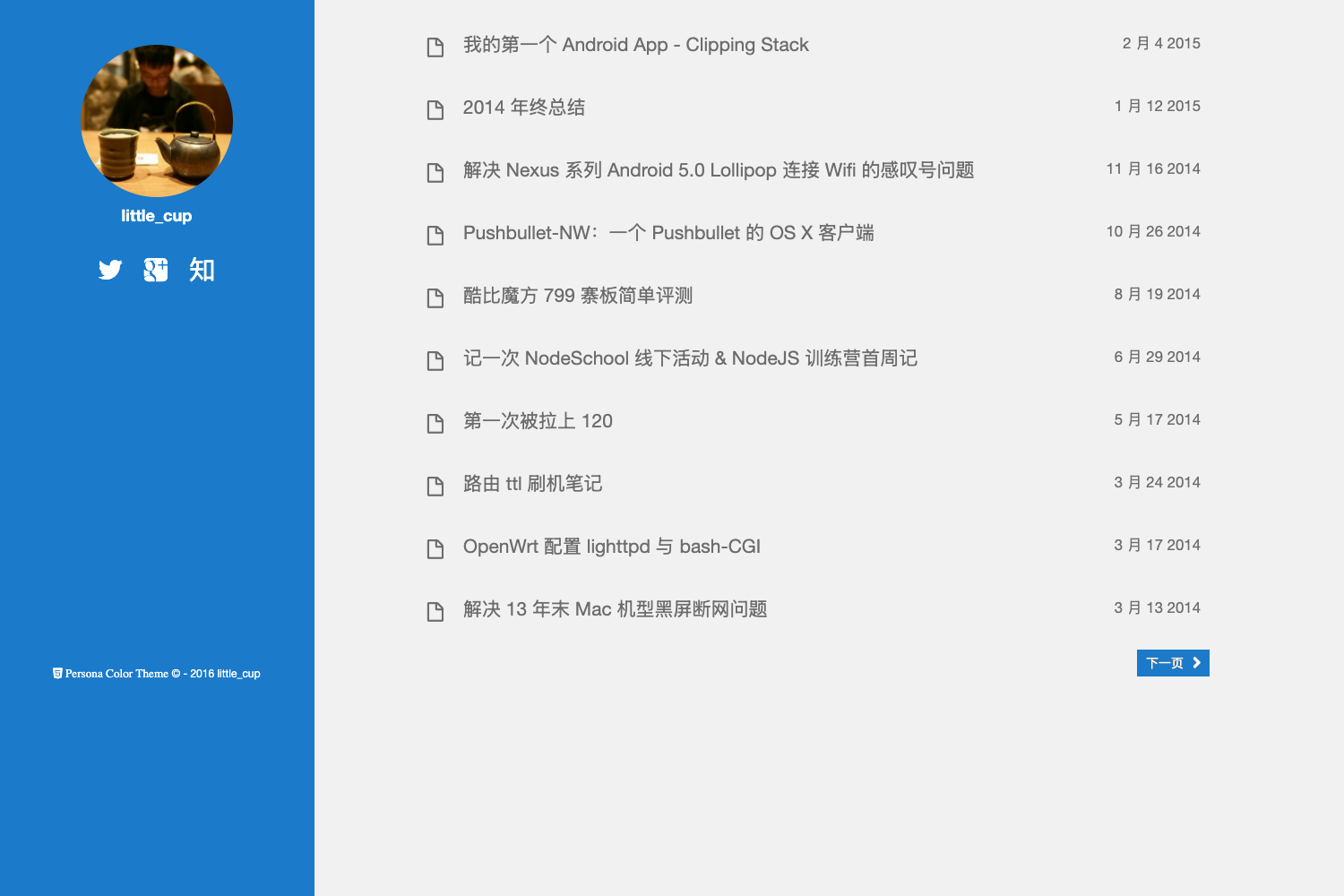
Hugo PacMan Theme is a blog-focused theme for the Hugo static site generator that renders Markdown content into a complete static website with a sidebar, social links, comments, and RSS. The theme is maintained by coderzh and has a live demo hosted on GitHub Pages at http://coderzh.github.io/hugo-pacman-theme/.
What is hugo-pacman-theme?
hugo-pacman-theme is a Hugo theme designed for personal blogging, taking site content written in Markdown and generating static HTML output with RSS feed support. The theme is configured entirely through a config.toml file, and the repository description states it currently supports Hugo v0.37.1. The demo site shows the default layout, sidebar, and navigation with Chinese-language settings enabled.
Key Features
- Social integration — Supports Weibo, WeiboID, Twitter, GitHub, Facebook, and LinkedIn links through the Params section of config.toml.
- Comment system — Disqus comments are integrated by setting the ShortName under Params.Disqus.
- Analytics — Google Analytics tracking is enabled by providing an ID under Params.GoogleAnalytics.
- Image lightbox — FancyBox is set to true in the default config, enabling lightbox-style image previews.
- Localized UI strings — The Params.Strings block defines translations for search, sidebar toggles, categories, archive, tags, tag cloud, RSS, and table of contents; the sample uses Chinese values.
- Custom date formats — DateFormat and MonthFormat are configurable, with the sample using Chinese date conventions such as "2006年01月02日".
- Custom output feeds — The theme defines an RSS output format with baseName "feed" and outputs both RSS and HTML for the home page.
- Sidebar controls — Strings for showing and hiding the sidebar are built in, and the layout includes sections for categories, archives, tags, and a tag cloud.
Who is it for?
Bloggers and content writers using Hugo who want a theme with built-in social links, commenting, analytics, and a sidebar. Chinese-language bloggers will find the CJK language support and Chinese date formats directly useful. Developers who prefer to manage site settings through a single config.toml file can use the theme's structured Params to control most presentation details.
What can you do with hugo-pacman-theme?
- Personal bloggers: Publish posts with tags, categories, and an archive view, plus a sidebar with a tag cloud and navigation links.
- Technical writers: Integrate Google Analytics and Disqus directly in the theme configuration to track traffic and collect comments.
- Multi-language sites: Adjust the UI strings in config.toml to translate navigation, search, and sidebar labels into other languages.
FAQ
Is hugo-pacman-theme compatible with the latest Hugo version?
The repository description states support for Hugo v0.37.1. If you use a newer Hugo release, you may need to test the theme and adjust configuration for any breaking changes.
What does the theme's default configuration include?
The sample config.toml sets a Chinese language code, enables CJK support, defines a menu with Home and About links, configures Google Analytics and Disqus, and loads a logo plus author image from the images folder.
Does hugo-pacman-theme have built-in search?
The theme includes a search label in its UI strings, but the demo does not show an integrated search engine; the "Search" string is used for the navigation label.
Can I use the theme with my own social accounts?
Yes, you can replace the placeholder usernames for Weibo, Twitter, GitHub, Facebook, and LinkedIn in the Params section.