Template details
Jek
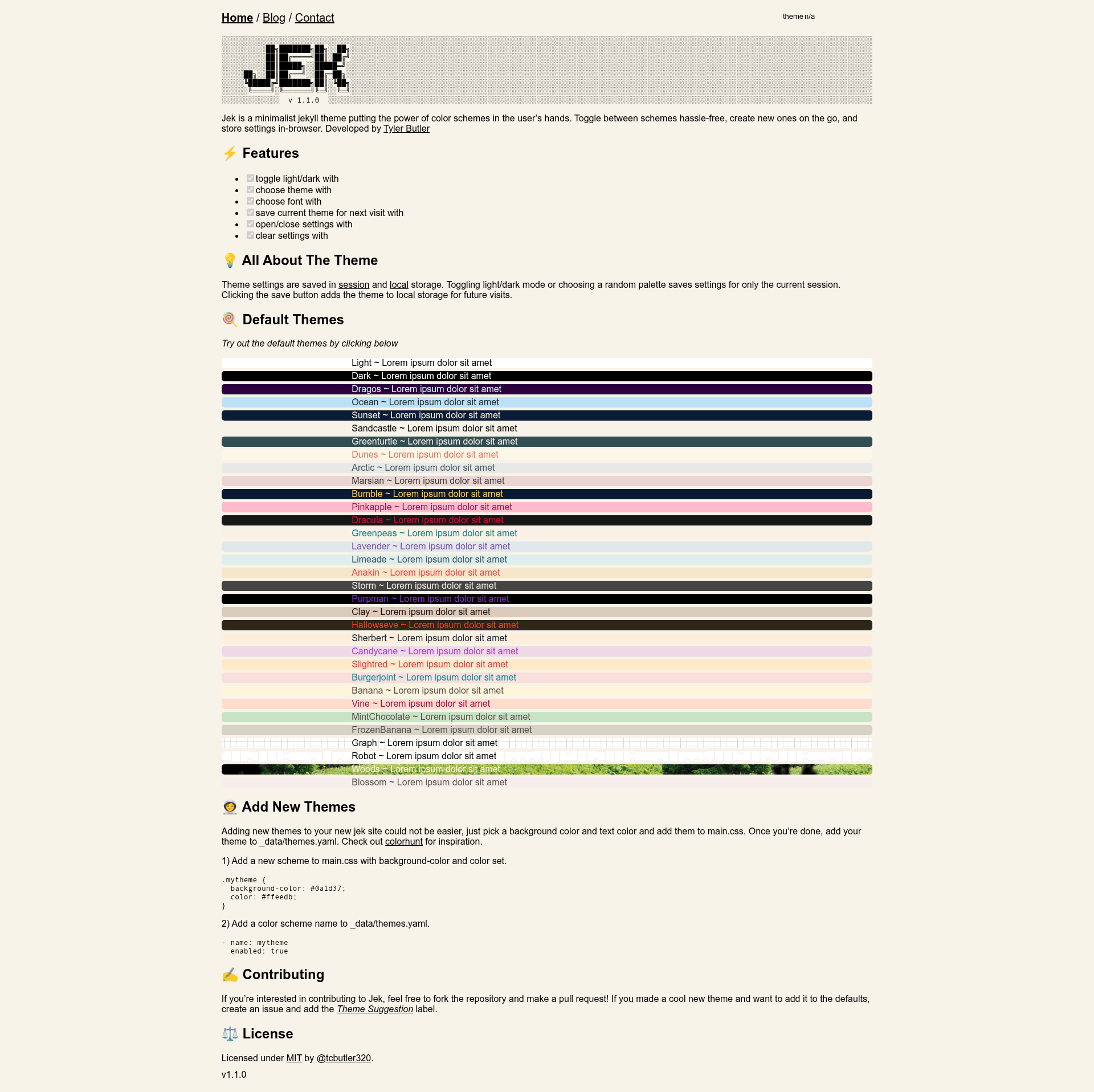
Jek is a minimalist Jekyll theme with user-toggleable color schemes, light/dark mode, and in-browser settings storage.
About this template
Jek is a minimalist Jekyll blog theme (v1.1.0) that puts color-scheme selection in the visitor's hands, with light/dark toggling, custom fonts, and browser-stored settings. Built for Jekyll 4 by Tyler Butler, Jek is distributed as a Ruby gem and deployed as a demo on Netlify.
What is Jek?
Jek is a theme for Jekyll 4 that adds a client-side settings panel to a static blog. It takes a Jekyll site's existing content and _data/themes.yaml list, then renders the blog with a gear-based settings interface. Visitors can switch color schemes and fonts, and the theme persists their choices using sessionStorage and localStorage. The project is maintained by Tyler Butler and released under the MIT license, with a live demo hosted on Netlify.
Key Features
- Light/dark mode toggle — One click flips the whole site between light and dark palettes.
- Custom theme picker — Users choose from any scheme registered in
_data/themes.yaml. - Custom font selector — Visitors can pick a different font from the site's available set.
- Session-based theming — Theme changes apply instantly and persist for the current tab via
sessionStorage. - Save for next visit — A save button writes the selected theme to
localStorage, so it loads on later visits. - Settings panel controls — Open/close the panel and clear saved settings with dedicated actions.
- Easy theme extension — Add a CSS class (e.g.
.mytheme) plus a YAML entry to enable a new scheme.
Who is it for?
Bloggers who want to offer readers a choice of visual styles without a CMS or backend. Jekyll developers who need a theme with a simple, YAML-driven theme system and are comfortable running Jekyll 4 locally or via custom CI. Theme contributors who want to fork the repo, add color schemes, and submit them as pull requests — the README suggests using colorhunt.co for palette inspiration.
What can you do with Jek?
- Bloggers — Let each reader pick a scheme and font; their choice persists for the current session or future visits if they click save.
- Jekyll developers — Use Jek as a lightweight base for a blog and extend the theme system with your own palettes.
- Theme contributors — Add new themes by writing a CSS class and updating
_data/themes.yaml, then open a pull request.
How does Jek store settings?
Jek uses the browser's sessionStorage for immediate, session-only theme changes and localStorage for the "save" action that persists across visits. That way the theme can require no server-side state or accounts. The README also shows a two-step process for adding a theme: define a class in main.css and list it in _data/themes.yaml.
Limitations to know
Jek requires Jekyll 4, so it will not work on GitHub Pages by default (which runs Jekyll 3). Hosting on GitHub Pages requires adding a custom CI flow, such as GitHub Actions. The theme is otherwise free to use under the MIT license.
FAQ
Does Jek work on GitHub Pages?
No, not by default. Jek requires Jekyll 4, while GitHub Pages uses Jekyll 3. You can work around this by setting up a custom CI flow with GitHub Actions.
How do I add a new color scheme to Jek?
Add a CSS class with your background and text colors, such as .mytheme { background-color: #0a1d37; color: #ffeedb; }, then add - name: mytheme to your _data/themes.yaml file.
Is Jek free?
Yes, Jek is open source under the MIT license, so you can use and modify it freely.
Where can I see Jek in action?
A demo site is deployed on Netlify at jekyll-jek.netlify.app, and the source repository includes a GIF showing the theme switcher.
What storage does Jek use for theme settings?
Jek saves session-only changes to sessionStorage and persistent saves to localStorage.