Template details
Serial Programmer
A dark Hugo blog theme for programmers; clone, configure TOML and YAML, and publish a responsive static blog.
About this template
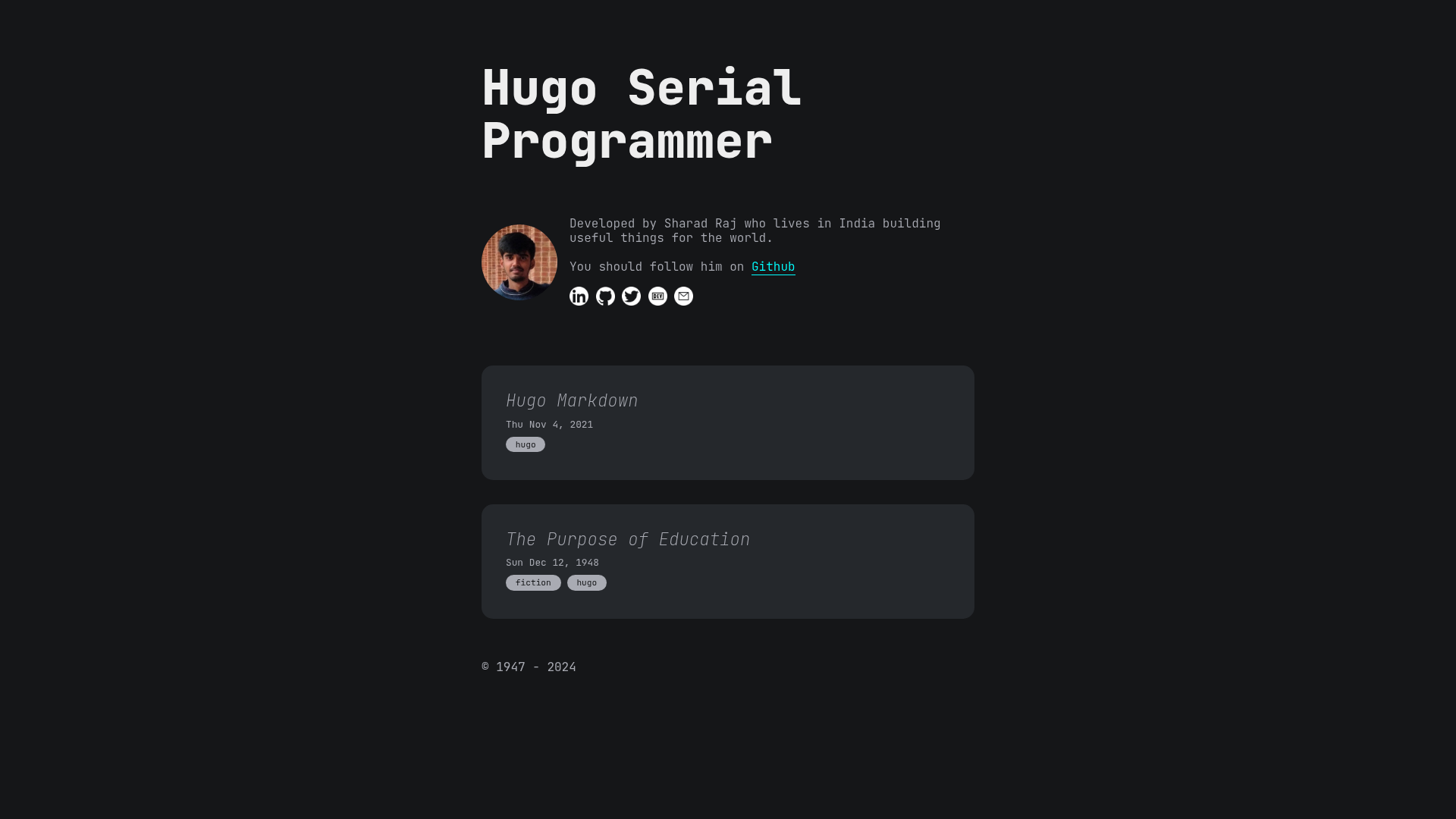
Serial Programmer is a dark-themed blog template built on the Hugo static site generator, created by Sharad Codes for programmers who publish technical writing online. The theme takes Markdown blog posts, a config.toml site configuration, and a data/author.yml author file as inputs, and produces a responsive static blog with a blog listing page and individual post pages that can be hosted on GitHub Pages or any static file host.
What is Serial Programmer?
Serial Programmer is a Hugo theme for programmers who want a personal blog with a dark, code-friendly aesthetic. It runs on Hugo, the Go-based static site generator, and the repository includes the theme files, example content, and a live demo at sharadcodes.github.io/hugo-theme-serial-programmer. The tagline "A Hugo theme for serial programmers (-.-)" signals its developer-oriented character, and the GitHub topics for the project list plain HTML, CSS, JavaScript, Golang, dark-theme, and hugo-blog.
Key Features
- Dark theme by default — the theme ships with a dark color palette suited to coding blogs and long reading sessions.
- Responsive design — screenshots in the repository show the blog page and the post page rendered at both desktop and phone widths, so the layout adapts to mobile screens.
- TOML and YAML configuration — site-wide settings are edited in
config.toml, while author details live indata/author.yml, following Hugo's standard configuration layout. - One-command local preview — after
git clone, entering the folder and runninghugo servestarts a local server on localhost with demo content loaded. - Static site output — content compiles to plain HTML, CSS, and JavaScript static files with no server-side runtime or database requirement.
- Community support path — the project has a GitHub Sponsors page where users can donate any amount to support continued open-source work.
Who is it for?
- Programmers and software developers — stand up a personal technical blog with a dark theme in a few commands, then edit two configuration files to make it their own.
- Hugo users — use it as a starter blog theme or as a base to fork and restyle for a custom project.
- Self-hosters and GitHub Pages users — deploy the static output to GitHub Pages or any static host with no backend to maintain.
What can you do with Serial Programmer?
- Technical bloggers: publish programming tutorials and code notes in Markdown and get a dark, readable blog with posts listed on a dedicated blog page.
- Open-source contributors: fork the repository, adjust the HTML, CSS, and JavaScript to match a personal brand, and submit improvements upstream.
- Rapid prototyping: use the demo content to preview how a blog will look on desktop and mobile before writing your own posts.
How does Serial Programmer work?
The README documents a five-step setup: clone the repository with git clone https://github.com/sharadcodes/hugo-theme-serial-programmer.git, enter the folder with cd hugo-theme-serial-programmer, run hugo serve, open localhost in your browser, and then change config.toml and data/author.yml before uploading the files to your own repository.
Pricing
The theme is free to download and use. The author requests optional donations of any amount through a GitHub Sponsors page linked from the README sponsor button.
Alternatives
- PaperMod — a popular minimal Hugo blog theme.
- hugo-theme-terminal — a dark, terminal-styled Hugo theme by panr with a developer-oriented look.
FAQ
Is Serial Programmer free?
Yes, the theme is available to download and clone from GitHub with no listed price, and the author invites supporters to donate any amount through GitHub Sponsors instead of charging for the theme.
What do I need to run it?
According to the README, you only need Git and Hugo. The setup steps are git clone, cd into the folder, and hugo serve; there is no Node.js install or separate build step described in the instructions.
How do I customize the site?
The README tells users to edit the config.toml file for site-wide settings and the data/author.yml file for author information. The repo also ships demo content that can be replaced with your own Markdown posts.
Where can I deploy it?
Because Hugo outputs static HTML, CSS, and JavaScript, the finished site can be uploaded to GitHub Pages or any static hosting service. The README describes uploading the files to your own repository when you are done editing.