Template details
So Basic - Astro Blog Template
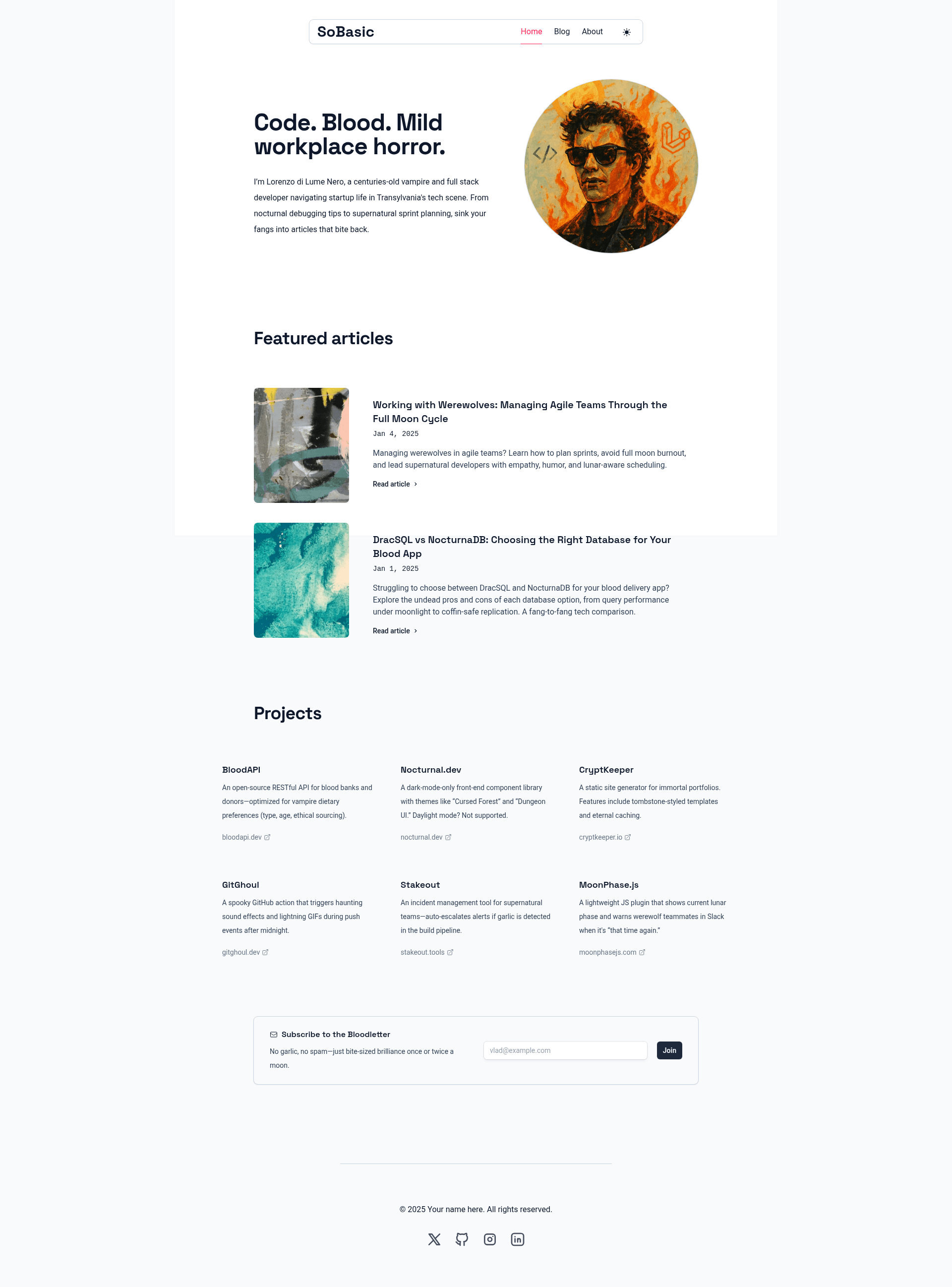
Minimal Astro blog template that renders Markdown/MDX content into a clean, Tailwind-styled blog.
About this template
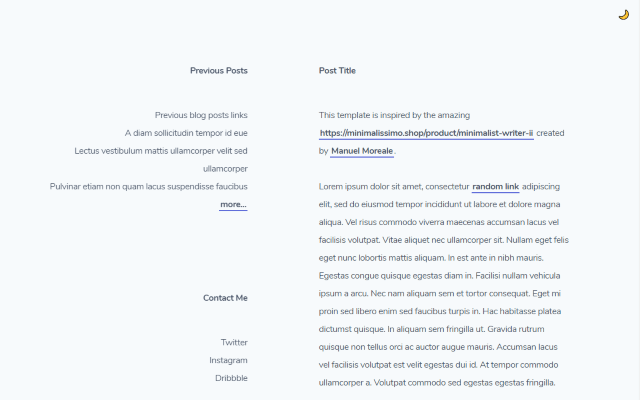
So Basic is a minimal Astro blog template, built by GitHub user lukeska, that converts Markdown and MDX files in a content collection into a clean, Tailwind-styled blog. The template runs on Astro's static site generator and is distributed as an open-source GitHub repository with a live demo hosted on Netlify at sobasic.netlify.app.
What is So Basic?
So Basic is an open-source Astro blog template created by GitHub user lukeska that renders blog posts written as Markdown or MDX files into a static, minimal website. It takes content from the src/content/blog folder and outputs a blog with a home page, a blog list, and an about page, styled with Tailwind CSS. The template is designed to require no database or CMS, as all content lives in local files.
Key Features
- Astro framework — Built on Astro, a static site generator that outputs HTML with zero JavaScript by default, and supports adding React, Vue, Svelte, or Preact components in src/components.
- Tailwind CSS theming — The primary color is controlled by Tailwind CSS variables in src/styles/global.css, so reassigning a single set of color-primary-* variables changes the site-wide accent color.
- Content collection for blog posts — Articles are added as .md or .mdx files inside src/content/blog, with optional hero images stored in src/images.
- Frontmatter schema — Each post supports title, description, pubDate, heroImage, and a featured boolean that controls whether it appears in the FeaturedArticles.astro component.
- Reusable layout — The BaseLayout.astro component is used by every page to keep new .astro pages visually consistent with the rest of the site.
- Customizable navigation — The main menu links are defined as an array in src/components/Header.astro, allowing href, text, and active-state values to be edited in one place.
- One-click dev environments — The repository includes buttons to open the project directly in StackBlitz, CodeSandbox, or GitHub Codespaces via a devcontainer.
Who is it for?
- Personal bloggers — Writers who want a minimal, typography-focused blog without a CMS can publish by dropping Markdown files into the content folder.
- Professional writers and developers — Developers who need a fast, customizable blog starter for a portfolio or product blog can edit the Tailwind theme and add pages with a layout wrapper.
- Astro newcomers — People learning Astro can study a small, complete example with clear separation of components, layouts, pages, and content.
What can you do with So Basic?
- Launch a blog quickly — Use the npm create astro command with the template flag to scaffold a new blog, or clone the repo and run npm install followed by npm run dev.
- Publish articles with metadata — Add a Markdown file with frontmatter fields for title, description, pubDate, hero image, and featured status to have it sorted and displayed automatically.
- Customize the look — Change the primary color variables in global.css or replace the Unsplash hero images with your own photos stored in src/images.
- Extend the site — Add new .astro pages that wrap content in BaseLayout, and update the navigation array in Header.astro to link them.
How does So Basic work?
Installation starts with either npm create astro@latest -- --template lukeska/sobasic or a git clone followed by npm install. After running npm run dev, you add blog posts as .md or .mdx files in src/content/blog, edit the header navigation array for menu links, and adjust the color variables in global.css to change the theme. The project builds to static HTML with the regular Astro build command.
FAQ
Is So Basic free to use?
Yes, the template is open source and hosted in a public GitHub repository under the lukeska account. The live demo on Netlify shows the default theme in action.
Does So Basic include a CMS or a database?
No. All content is stored as local Markdown or MDX files in the src/content/blog directory, and frontmatter provides the metadata. There is no admin panel or database connection.
How do I add a new page to the blog?
Create a new .astro file inside src/pages and wrap your content in the BaseLayout component imported from ../layouts/BaseLayout.astro. The page will inherit the site's layout and styling automatically.
Can I use different component frameworks with So Basic?
Yes, because it's an Astro project, you can mix React, Vue, Svelte, or Preact components into the src/components folder. The blog itself is rendered as plain HTML and JavaScript, with framework components only where you add them.
How do I change the primary color of the theme?
Open src/styles/global.css and edit the @theme block, assigning Tailwind color values to the color-primary-* variables. The template ships with a purple palette, but any Tailwind color scale can be substituted.