Template details
LTree
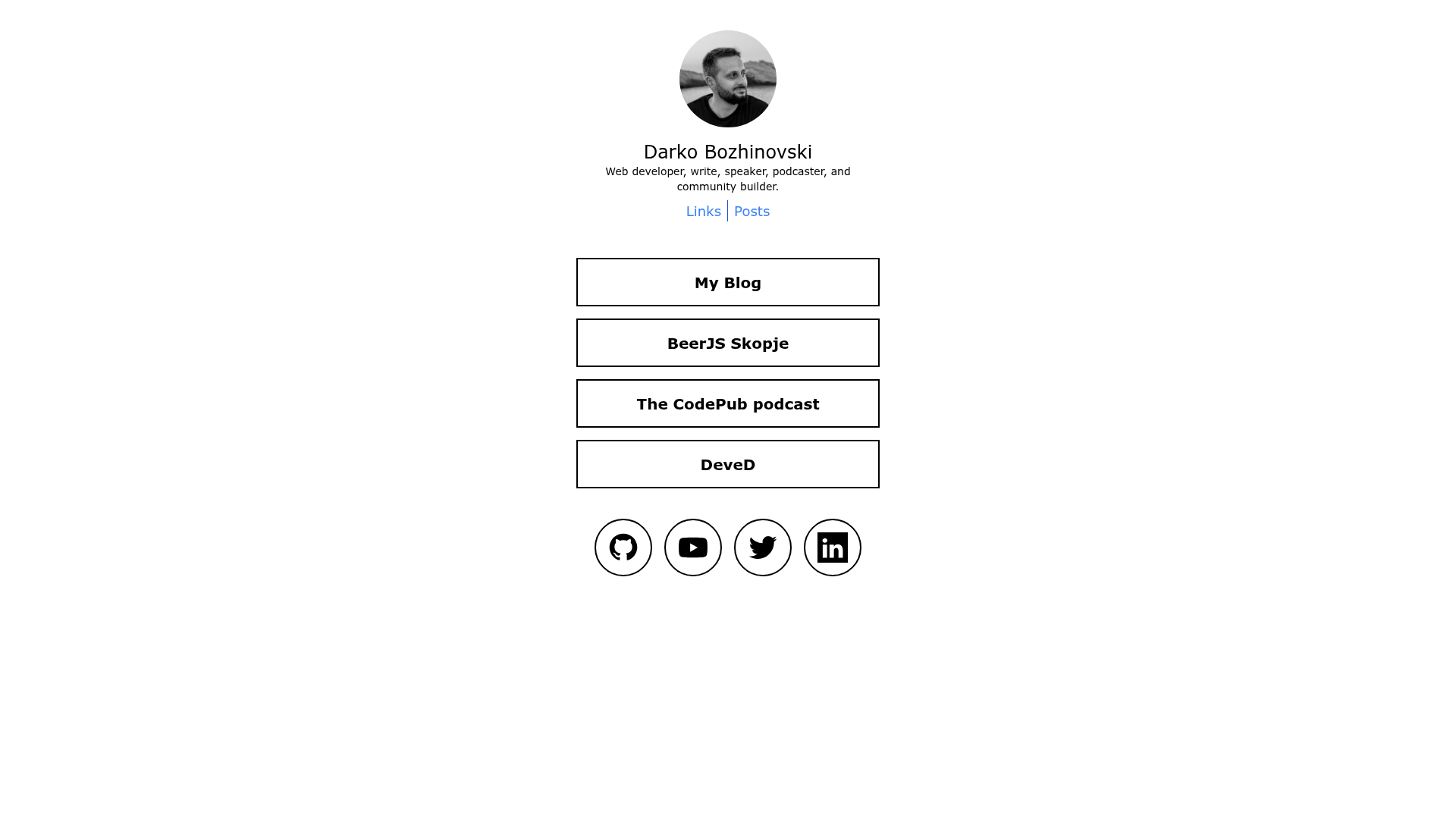
An Astro theme that replicates Linktree and Linkinbio rolled in one. Optional TinaCMS on top.
About this template
LTree
LTree is a free and open-source Astro theme that generates a static link-in-bio site with both a Linktree-style link hub and a Linkinbio-style post page.
What is LTree?
LTree is a free and open-source theme for Astro, created by Darko Bozhinovski (repo owner DBozhinovski), that replicates two popular social-media link page formats into one project. It takes content from markdown files via Astro's content collection API, or optionally from TinaCMS, and outputs a static website that can be hosted anywhere. The theme requires Node.js v18 or higher and is built as a minimal example of a two-page Astro project.
Key Features
- Two page types —
index.astrorenders the Linktree clone (a hub of links) andpostlinks.astrorenders the Linkinbio clone (a feed of post-style entries), both sharing a similar layout with different midsections. - TinaCMS integration — optional visual editing is enabled by default in local mode, and production editing works through Tina Cloud, with the setup documented in the author's blog post.
- Astro content collections — all link and social data lives in markdown files that can be edited directly, no CMS required.
- Tailwind styling — the theme is styled entirely with Tailwind and no custom config, so you can adjust fonts, colors, or remove Tailwind for vanilla CSS with minimal effort.
- Dark and light mode — both themes are dynamically supported, contributed by @leowilkin, along with overall styling updates.
- Single custom component — only
src/components/SocialIcon.astrois used to render social icons on both pages, keeping the codebase small and easy to reason about. - Minimal project structure — just two pages and one component, making it a clean starting point for learning Astro or building a custom link page.
Who is it for?
- Content creators and influencers — set up a self-hosted alternative to Linktree where all their social links live on their own domain, with no third-party branding.
- Developers exploring Astro — use this as a compact reference for Astro content collections, file-based routing, and component architecture, especially if they also want to test TinaCMS.
- Anyone needing a Linkinbio-style page — publish a second page that showcases recent posts or content entries in a feed format alongside the standard link hub.
- Designers who want a customizable link page — swap Tailwind classes, add fonts, or edit the markdown content to match a personal brand without dealing with a large theme.
What can you do with LTree?
- Build a personal link hub — create a single page that aggregates all your social media profiles, websites, and other links, and deploy it as a static site.
- Run a content-focused page — use
postlinks.astroto display a list of posts or media entries, similar to Instagram's link-in-bio, where each entry can link out to any URL. - Edit content visually — enable TinaCMS and manage links, social accounts, and text from a visual interface instead of hand-editing markdown.
- Extend the theme — because the structure is minimal and Tailwind is unconfigured, you can add new sections, components, or plugins without fighting a heavy foundation.
How does LTree work?
The quickstart uses npx degit https://github.com/DBozhinovski/astro-theme-ltree my-site-name to create a clean copy, then npm install to install dependencies. Content is stored in markdown files matching Astro's content collection schema, and TinaCMS can be used to edit that content in a browser. Both pages are generated at build time as static HTML, ready for deployment on any static host.
Pricing
LTree is free and open-source. There are no paid tiers, and the full source code is publicly available on GitHub.
FAQ
Is LTree free?
Yes, LTree is completely free and open-source. The repository is public, and anyone can download, modify, and deploy the theme without paying a license fee.
What Node.js version do I need?
LTree requires Node.js v18 or higher. The Astro development and build commands need this version to run correctly.
Can I use LTree without TinaCMS?
Yes. LTree reads content through Astro's content collection API, so you can edit raw markdown files and ignore TinaCMS entirely. TinaCMS is enabled by default in local mode, but it's optional and can be removed or left unused.
What pages does LTree include?
LTree includes two pages: index.astro, which is the Linktree-style link hub, and postlinks.astro, which is the Linkinbio-style post feed. They share a common structure but render different midsection content, and both use the same SocialIcon.astro component for social links.
Who contributed to LTree?
The theme was built by Darko Bozhinovski (GitHub user DBozhinovski) and is documented in a blog post about building a Linktree and Linkinbio clone with Astro and TinaCMS. @leowilkin contributed dark mode support and styling updates.