Template details
Momo-Index
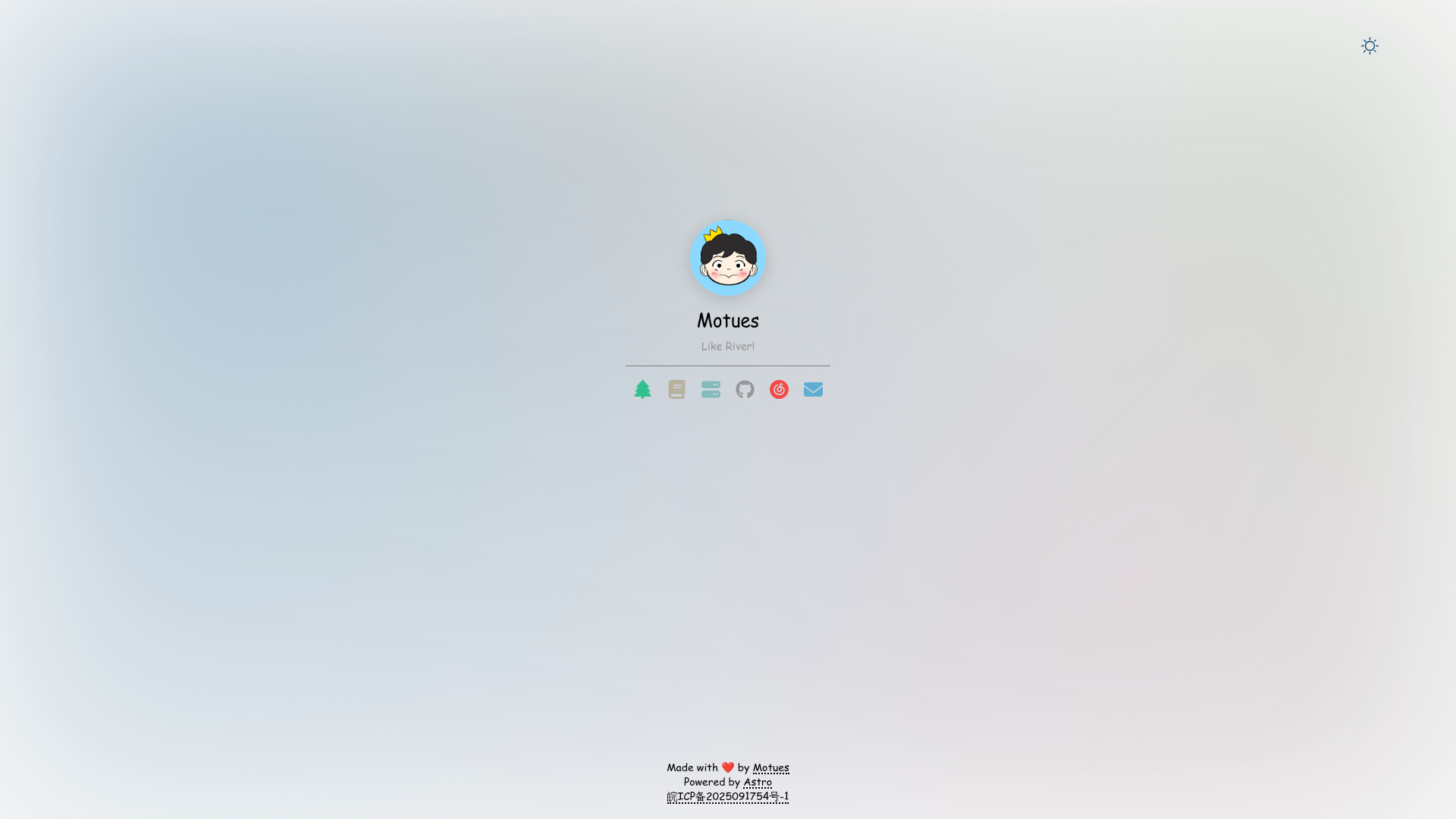
A minimal personal homepage template built with Astro, configurable via a central config file.
About this template
Momo-Index is a minimal personal homepage template built with Astro that generates a single config-driven page for presenting your name, bio, avatar, and links.
What is Momo-Index?
Momo-Index is a static site template that turns a central configuration file into a clean personal homepage. You write site-wide settings (title, icon, background) in siteConfig and personal profile data (avatar, name, bio) in profileConfig, both inside src/config.ts. Astro then builds a static site, outputting to ./dist when you run pnpm build. The project is authored by Motues and published on GitHub.
Key Features
- Astro framework — Built on Astro, yielding a static site with no client-side framework required;
pnpm buildgenerates a deployable./distfolder. - Central configuration — Edit
src/config.tsto updatesiteConfigandprofileConfigso you never need to touch page markup for common changes. - Dark mode support — Dark mode is already implemented, listed as a completed item in the project's TODO list.
- Customizable footer — The footer component in
src/components/Footer.astrocan be edited directly for custom links, text, or social handles. - Root path controls — The site's base URL is configured through
defineConfig.siteinastro.config.mjs. - Minimal setup — Requires Node.js above version 20.x and pnpm (installed with
npm -g pnpm); the dev server runs athttp://localhost:4321.
Who is it for?
This template is for developers who want a lightweight personal homepage without building one from scratch. Astro users can quickly understand the file structure and extend it. People who prefer a content-focused, minimal design get a clean page without a heavy UI library.
What can you do with Momo-Index?
- Developers: Create a personal landing page by editing
src/config.tswith your name, avatar, bio, and site details, then runpnpm buildto deploy the static output. - Portfolio users: Use the footer component to add contact links or social profiles.
- Astro learners: Study a small, readable Astro project structure that demonstrates config-driven pages and component customization.
How does Momo-Index work?
After cloning the repository, run pnpm install to install dependencies. Then pnpm dev starts the development server, or pnpm build produces the production build in ./dist. Page content lives in src/config.ts, the site root path in astro.config.mjs, and the footer in src/components/Footer.astro.
FAQ
Is Momo-Index free?
The repository is publicly accessible on GitHub, so anyone can clone and modify it. No paid plans or pricing tiers are mentioned in the project.
What are the requirements?
You need Node.js version above 20.x and pnpm. Install pnpm with npm -g pnpm, then run pnpm install in the project directory.
How do I change the site title and profile?
Open src/config.ts and edit the siteConfig object for site title, icon, and background, and the profileConfig object for your avatar, name, and bio.
Does Momo-Index support internationalization?
Not yet. The project's TODO list includes adding i18n support, so currently the page shows a single language. Also, background image style optimization is still pending.