Template details
mug
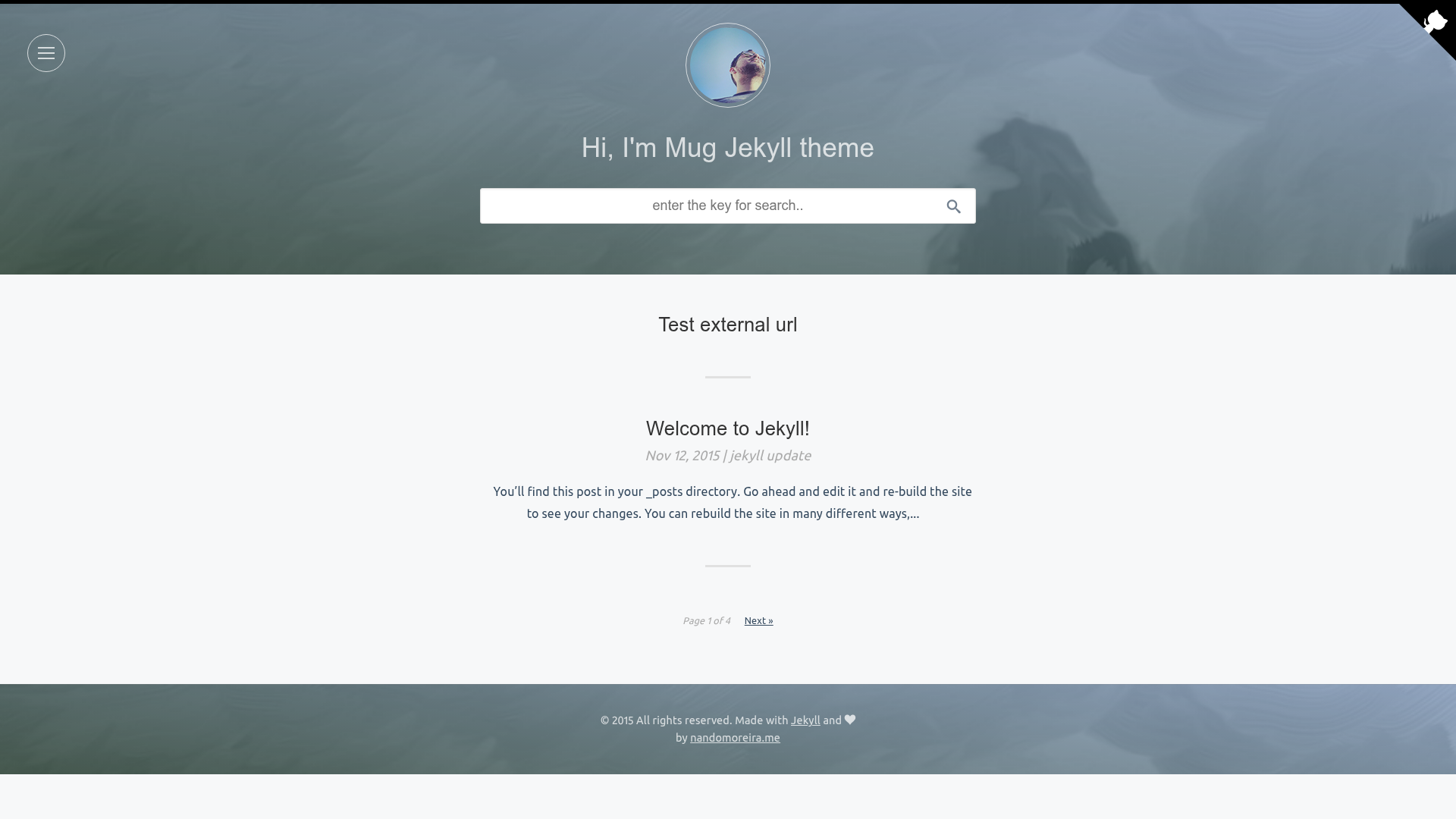
mug is a clean, responsive Jekyll blog theme with SASS, search, pagination, syntax highlighting, and Disqus comments.
About this template
mug is a free Jekyll theme for blogs that bundles search, pagination, syntax highlighting, author configuration, social sharing, Disqus comments, and a Rakefile workflow into a single package. It is built with Ruby and SASS, outputs a static site, and can be deployed to GitHub Pages with two commands.
What is mug?
mug is a Jekyll theme designed for blogging, created by nandomoreirame. It takes Markdown posts and pages as input and generates a static HTML website, requiring Ruby and RubyGems to run. The theme includes a Rakefile with tasks for creating posts and pages and for publishing to GitHub Pages.
Key Features
- Clean layout — a simple, uncluttered layout intended for reading.
- Responsive layout — the theme adapts to mobile, tablet, and desktop screen sizes.
- SASS preprocessor — styles are written in SASS and compiled to CSS.
- CSS minified — the generated CSS is minified for production.
- Search posts — built-in search lets visitors find posts by keyword.
- Pagination — posts are split into multiple pages.
- Syntax highlight — code blocks are highlighted in posts.
- Author config — author details can be configured for posts.
- Share posts — social sharing buttons are included.
- Disqus comments — comment integration via Disqus is built in.
Who is it for?
- Bloggers who want a Jekyll-based blog with search and comments without building features from scratch.
- Developers who want a customizable theme using SASS and a Rakefile workflow for generating posts and pages.
- GitHub Pages users who want to deploy a blog with a two-command publish process.
What can you do with mug?
- Create a new post: run
rake post title="TITLE OF THE POST"to generate a new post file. - Create a new page: run
rake page name="contact.md"to create a new page. - Publish to GitHub Pages: change the
GITHUB_REPONAMEandGITHUB_REPO_BRANCHvariables in the Rakefile, then runrakeorrake publish.
How does mug work?
The setup is straightforward: clone the repository, run bundle install to install the required Ruby gems, and start a local Jekyll server with jekyll serve. The local site is served at localhost:4000/mug. For production, you change the GitHub repository variables in the Rakefile and run rake publish.
Pros and cons
Pros
- Free and open source under the MIT license.
- Includes common blog features out of the box.
- Rake tasks automate post and page creation and deployment.
- Works with GitHub Pages.
Cons
- Requires Ruby and RubyGems installed to build.
- The default layout includes
noindexmeta tags that must be manually removed before publishing.
FAQ
Is mug free?
Yes, mug is free and released under the MIT license, so you can use and modify it without cost.
What are the requirements for mug?
You need Ruby and RubyGems installed on your system, then run bundle install to install the Jekyll gems specified in the project.
How do I create a new post with mug?
Use the Rake task from the project folder: rake post title="TITLE OF THE POST" generates a new post file with the given title.
How do I deploy mug to GitHub Pages?
Edit the Rakefile to set the GITHUB_REPONAME and GITHUB_REPO_BRANCH variables, then run rake publish. The site is built and published to your GitHub repository.
Does mug support comments?
Yes, comments are integrated through Disqus. You need to configure your Disqus settings in the theme.