Template details
Nextjs Chakra Notion Blog
A Next.js blog starter that uses Chakra UI for styling and Notion as a headless CMS.
About this template
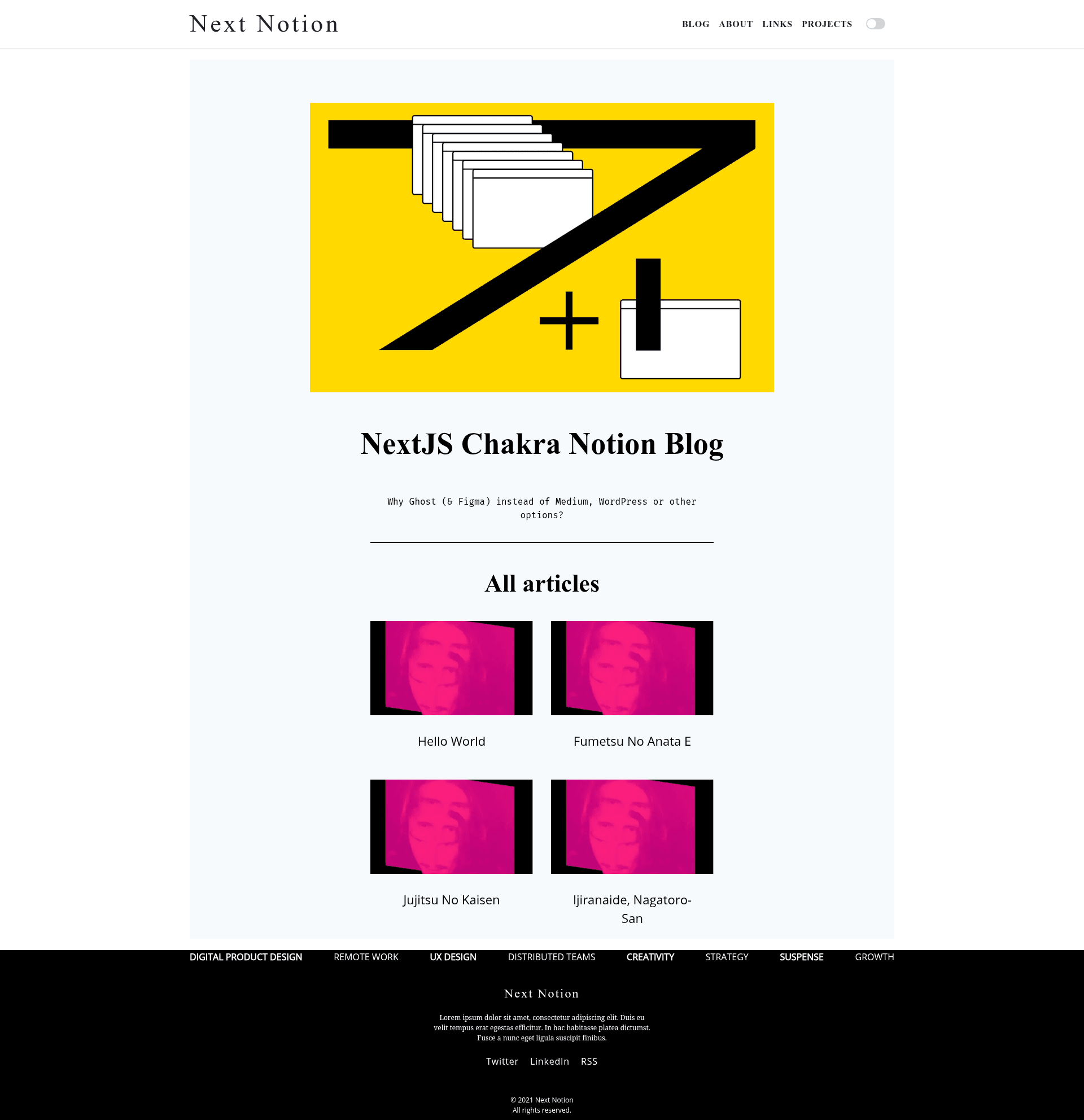
Nextjs Chakra Notion Blog is a GitHub template that combines Next.js, Chakra UI, and Notion to build a blog where content lives in a Notion database and the site is rendered with Next.js. The repository metadata describes it as a way to build a NextJS blog with Charaka UI and Notion, and it includes a reference to Samuel Kraft's article on building a Notion blog with the public API.
What is Nextjs Chakra Notion Blog?
Nextjs Chakra Notion Blog is a starter template for a blog running on the Next.js framework, with the user interface built from Chakra UI components and content served from Notion through its public API. The template takes Notion pages as the content input and produces a fully styled blog site as output. It relies on React for component rendering and is available as an open-source repository on GitHub, with nine stars at the time of this description.
What makes it stand out?
The most distinctive fact about this template is its content pipeline: instead of a traditional CMS or Markdown files, it uses Notion as the source of truth. This eliminates the need to maintain separate content files. The template is built on Next.js, which gives developers access to static generation and server-side rendering capabilities. Its styling comes from Chakra UI, a component library that offers theming and dark mode support out of the box. The repository also points to a detailed tutorial, helping developers understand how the Notion integration is wired.
Who should use this template?
- Developers who already use Notion for note-taking can turn their existing workspace into a blog without moving content elsewhere.
- React and Next.js learners can study a small, real-world example of data fetching from an external API and rendering it with components.
- Freelancers building quick blogs for clients can use this template as a foundation and then customize the Chakra UI theme.
Use cases
- Personal blogging: Publish articles from Notion pages and have them appear on a Next.js site with minimal setup.
- Learning the Notion API: The template's integration serves as a practical reference for reading Notion databases in a Node.js environment.
- Prototyping with Chakra UI: Developers can rapidly modify the component tree to test layouts and styles before building a full design system.