Template details
Next.js & HeroUI Template
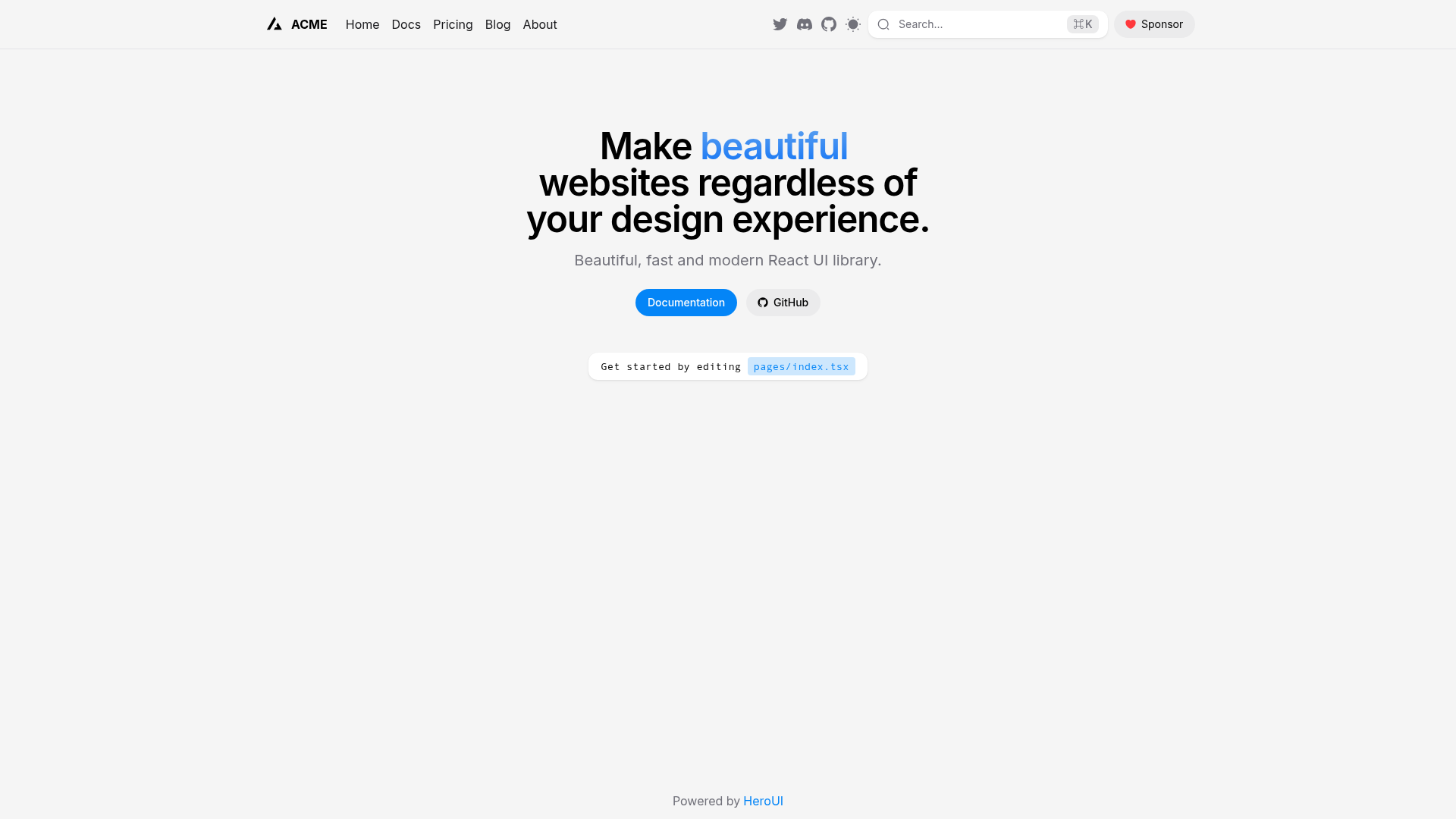
A Next.js 16 pages-directory template pre-configured with HeroUI v3, Tailwind CSS v4, TypeScript, and next-themes.
About this template
next-pages-template is an MIT-licensed boilerplate that scaffolds a Next.js 16 application using the pages directory, preconfigured with HeroUI v3 and Tailwind CSS v4. Maintained by the heroui-inc GitHub organization, it is a ready-made starting point for projects that want to avoid wiring together the framework, UI library, and styling layer by hand.
What is next-pages-template?
next-pages-template is a GitHub repository that serves as a starter for building Next.js 16 apps with the classic pages router. It bundles HeroUI v3 (formerly NextUI), Tailwind CSS v4, Tailwind Variants, TypeScript, and next-themes for dark mode, so the initial configuration is already done. To create a project from it, run npx create-next-app -e https://github.com/heroui-inc/next-pages-template; the output is a complete project with a documented npm run dev workflow. The repository metadata lists 96 stars, and the project is licensed under MIT.
Key Features
- Next.js 16 with pages router — The template targets the pages directory instead of the App Router; the project's own note recommends migrating to the App Router since Next.js 15 to leverage React's latest features.
- HeroUI v3 preconfigured — HeroUI (previously NextUI) v3 is included so you can use its accessible UI components out of the box.
- Tailwind CSS v4 and Tailwind Variants — Styling is handled by Tailwind v4 with Tailwind Variants for composable component styling.
- TypeScript support — Source files are TypeScript-ready, providing static typing for components and props.
- next-themes for theming — Dark and light mode switching is included via next-themes, requiring minimal configuration.
- Multiple package managers — Dependencies can be installed with npm, yarn, pnpm, or bun; the documented commands use npm.
- One-command scaffolding —
npx create-next-app -e https://github.com/heroui-inc/next-pages-templatecreates a new project in a single step. - CodeSandbox preview — A "Try it on CodeSandbox" link boots the template in a browser-based environment.
Who is it for?
- Next.js developers using the pages router — They get a preconfigured HeroUI/Tailwind setup instead of configuring each tool separately.
- Teams maintaining older Next.js apps — Because it uses the pages directory, it can serve as a pattern for projects not yet migrated to the App Router.
- HeroUI/NextUI component users — They can test HeroUI v3 components in a ready-made app or extend the template with their own pages.
- Open-source hobbyists — The MIT license lets anyone fork, modify, and use the template for personal or commercial projects.
What can you do with next-pages-template?
- Developers: Scaffold a new app instantly by running
npx create-next-app -e https://github.com/heroui-inc/next-pages-template; the result is a project preconfigured with HeroUI v3 and Tailwind v4. - Prototypers: Open the CodeSandbox link to test HeroUI components in a browser environment before committing to a local setup.
- Theme maintainers: Implement dark mode with the included next-themes utility instead of building theme handling from scratch.
- UI contributors: Build custom pages inside the pages directory using HeroUI components and Tailwind utility classes without additional configuration.
How does next-pages-template work?
- Run
npx create-next-app -e https://github.com/heroui-inc/next-pages-templateto scaffold a new project from the template. - Install dependencies with your preferred package manager, for example
npm install(npm, yarn, pnpm, and bun are all supported). - Start the development server with
npm run devand begin editing pages inside thepagesdirectory.
Pros and cons
- Pro: All core styling and UI dependencies ship preconfigured, so setup takes one command.
- Pro: The template is free to use and modify under the MIT license.
- Pro: Works with npm, yarn, pnpm, and bun, and is testable on CodeSandbox.
- Con: The pages router is not the recommended directory structure going forward; the project note advises migrating to the App Router from Next.js 15 onward.
FAQ
Is next-pages-template free?
Yes, the source code is released under the MIT license, so you can use, modify, and distribute it freely, including in commercial projects.
Which Next.js router does this template use?
It uses the pages directory. The repository's own note points out that since Next.js 15, the pages router is recommended to be migrated to the new App Router to leverage React's latest features.
How do I start a new project from this template?
Run npx create-next-app -e https://github.com/heroui-inc/next-pages-template, then install dependencies with a package manager such as npm, and run the development server with npm run dev.
Which versions and technologies are included?
The template targets Next.js 16 with HeroUI v3, Tailwind CSS v4, Tailwind Variants, TypeScript, and next-themes. It supports multiple package managers including npm, yarn, pnpm, and bun.
Does it support dark mode?
Yes, next-themes is included, which provides theme switching capabilities for light and dark modes in your Next.js app.