Template details
NuePress
A Nuxt.js boilerplate that uses WordPress as a headless CMS via the REST API.
About this template
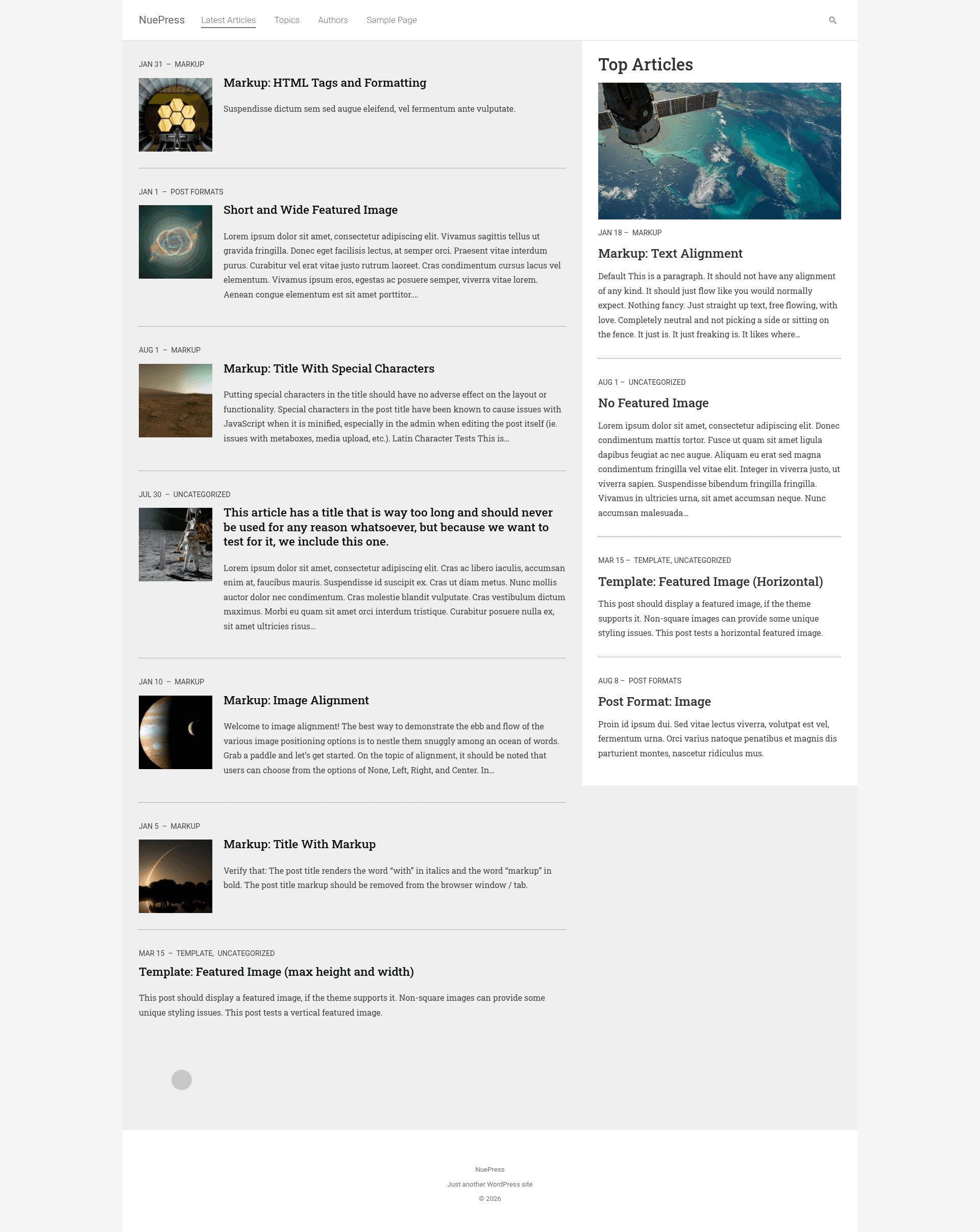
NuePress is a boilerplate template that pairs Nuxt.js with the WordPress REST API, giving you a server-rendered Vue frontend backed by WordPress as a headless CMS. The project is open-source, hosted by krestaino on GitHub, and includes a companion WordPress theme plus a live demo at nuepress.kmr.io.
What is NuePress?
NuePress is an open-source starter kit for building content-driven web applications. It takes a WordPress installation as the input content source and outputs a Nuxt.js application with server-side rendering, ready to deploy as a Node.js server. The template uses Vuex for state management and relies on the standard WordPress REST API to fetch data. It is developed by krestaino and has 626 stars on GitHub.
Key Features
- Nuxt.js SSR frontend — Pages are server-rendered for SEO and fast initial loads; production build runs with
yarn buildandyarn start. - WordPress REST API integration — All content is pulled from WordPress's native REST API, so no custom API endpoints are needed.
- Companion WordPress theme — Install the theme in
wordpress/wp-content/themes/nuepressto generate sitemaps and to raise the REST API'sper_page_limit(default is 10 posts per request). - Vuex state management — Data from WordPress is stored in Vuex modules, making it easy to share across components and pages.
- Hot-reload development —
yarn devstarts a development server with hot reloading at localhost:3000. - Live demo — See a running example at https://nuepress.kmr.io before setting up your own instance.
Who is it for?
NuePress is aimed at developers who want to use WordPress as a headless CMS while building the frontend with Vue.js and Nuxt.js. It suits frontend developers who prefer a pre-configured Nuxt.js setup over wiring the REST API manually, WordPress developers who want a modern JavaScript frontend without changing their content workflow, and agencies that need SEO-friendly server rendering for client sites with an editorial backend the client already knows.
Use cases
- Content-driven websites: Use WordPress to manage posts, pages, and media, then render them in a Nuxt.js frontend with server-side rendering for good SEO.
- Company and agency sites: Build marketing pages and blog sections on a Vue frontend while letting non-technical editors update content in the familiar WordPress admin.
- Learning and prototyping: Study how to integrate Nuxt.js with the WordPress REST API using a working reference implementation.
How does NuePress work?
To get started, clone the repository, run yarn install to install dependencies and create a .env file. Then run yarn dev for development at localhost:3000 with hot reload, or yarn build followed by yarn start for a production Node.js server. You also need to install the companion WordPress theme, which generates the sitemap and extends the REST API's per_page_limit.
FAQ
Is NuePress free to use?
Yes, NuePress is an open-source project hosted publicly on GitHub, so you can clone it and use it without paying a license fee.
Does NuePress support static site generation?
The README explicitly says the yarn generate command is “not working right now”, so static generation is currently not supported. The template is designed for server-rendered deployment instead.
What WordPress theme is required?
The repository includes a theme at wordpress/wp-content/themes/nuepress that must be installed. It is required to generate sitemaps and to extend the REST API's per_page_limit so more than 10 posts can be retrieved per request.
Is there a demo I can look at?
Yes, a live demo is hosted at https://nuepress.kmr.io, showcasing the default frontend connected to a WordPress backend.
How do I configure the environment?
After cloning, run yarn install and create a .env file with your WordPress site URL. The README does not list exact variable names, so you'll need to inspect the project source for the expected environment keys.