Template details
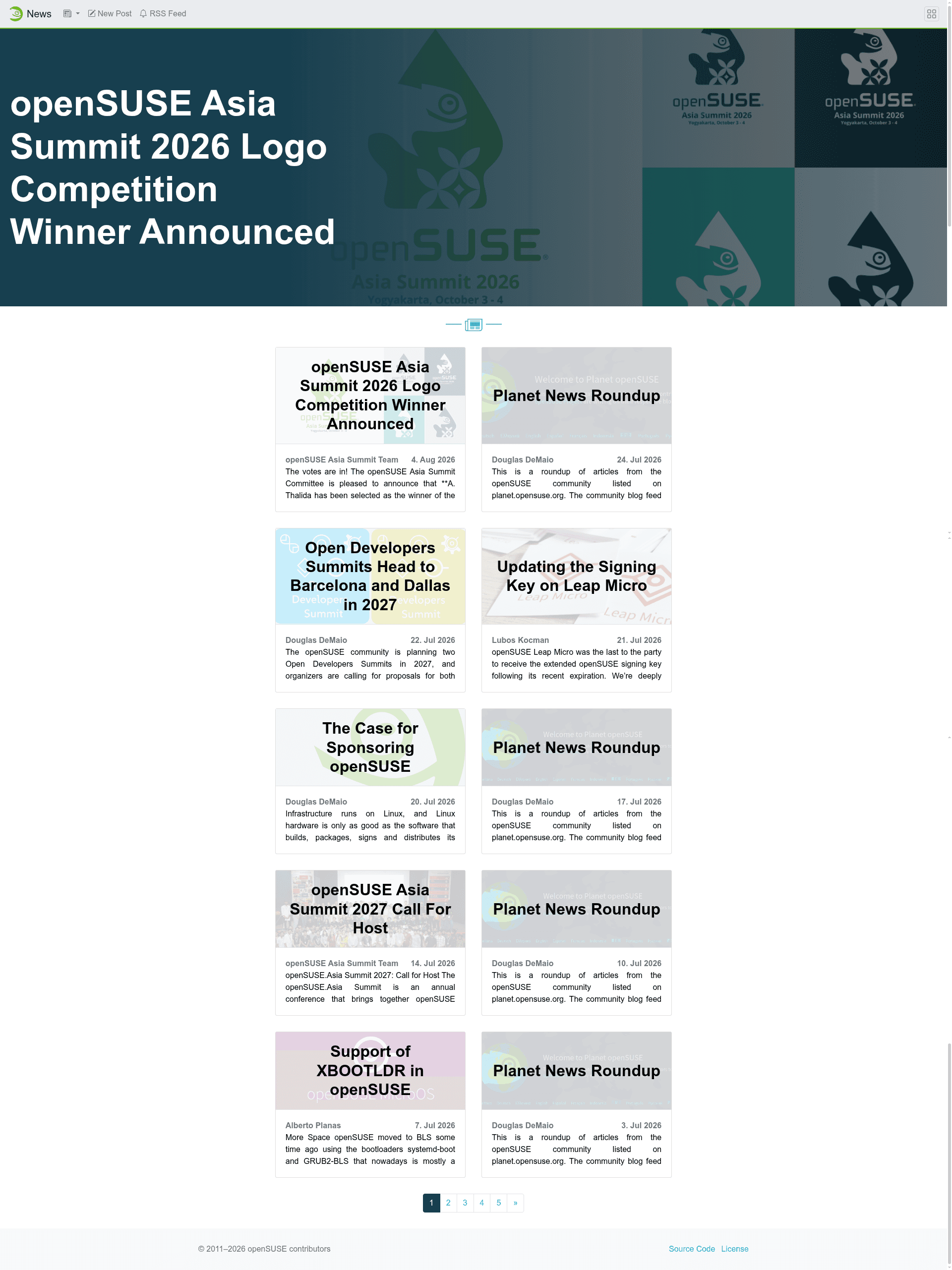
openSUSE News
A Jekyll-based news template for publishing official openSUSE Project announcements and community news via Markdown and GitHub pull requests.
About this template
openSUSE News is a Jekyll-based blog template that powers the official news site for the openSUSE Project, providing a structured workflow for community members to submit and publish announcements.
What is openSUSE News?
ownSUSE News is the Jekyll repository behind news.opensuse.org. It takes Markdown posts with YAML front matter and builds a static news website using the openSUSE Jekyll theme. Contributions are submitted via GitHub pull requests, and it is maintained by the openSUSE Project community.
Key Features
- Markdown posts with YAML front matter — each post requires author, date, layout, license, title, image, categories, and tags, with the filename following
yyyy-mm-dd-title.md. - Jemoji plugin — renders GitHub-style emoji syntax like
:dog:in post content. - OpenSUSE Jekyll theme — a custom theme tracked in a separate repository (openSUSE/jekyll-theme), updated by pinning commit IDs and version numbers in Gemfile.lock.
- Netlify preview site — each pull request can be previewed at news-o-o-preview.netlify.app before merging.
- Scheduled publishing — posts are published automatically at the top of the hour after their pull request is merged, typically appearing within 3–8 minutes.
- Image guidelines — posts require an illustration image of at least 1153×505 pixels, stored under
/wp-content/uploads/(year)/(month). - Strict content scope — only official openSUSE Project news and distribution announcements are allowed; tutorials, personal package promotion, and community calls to action are discouraged.
Who is it for?
- openSUSE community members who want to publish official news or announcements about the Project and its distributions.
- openSUSE maintainers who need a straightforward submission and review process via GitHub pull requests.
- Translators or community managers who want to share release announcements and event information in a consistent format.
What can you do with openSUSE News?
- Release announcement writers — publish version release notes for openSUSE distributions with proper metadata and an appropriate header image.
- Event coordinators — announce upcoming openSUSE conferences, meetups, or hackfests through the official channel.
- Project leads — share infrastructure changes or important Project-level decisions while the editor team enforces scope guidelines.
How does openSUSE News work?
Contributors create a Markdown file in the _posts directory with the naming convention yyyy-mm-dd-title.md, fill in the required YAML front matter fields, add an illustration image of at least 1153×505 pixels, and submit a pull request. Once merged, the site builds via GitHub Actions and the post goes live on the hour.
FAQ
How do I submit a post?
Create a new Markdown file in the _posts folder with the name yyyy-mm-dd-title.md, use the provided front matter template, then create a pull request on GitHub. Your post will be previewed on Netlify before it is merged and published.
What image size is required?
The header image must be at least 1153×505 pixels. Place the file in its own directory under /wp-content/uploads/(year)/(month) and reference it in the image field of the front matter.
What content is allowed?
Only official news about the openSUSE Project and its distributions. Articles that promote personal home repositories, tutorials, or generic open-source projects are discouraged and may be removed by the editors.
When are posts published?
After a pull request is merged, the site builds and the post appears at the top of the hour, usually within 3–8 minutes after that hour starts.
How can I run the site locally?
Install Ruby, bundler, gcc-c++, and make using sudo zypper in ruby-devel 'rubygem(bundler)' gcc-c++ make, then run bundle install and bundle exec jekyll serve to serve at http://127.0.0.1:4000/.